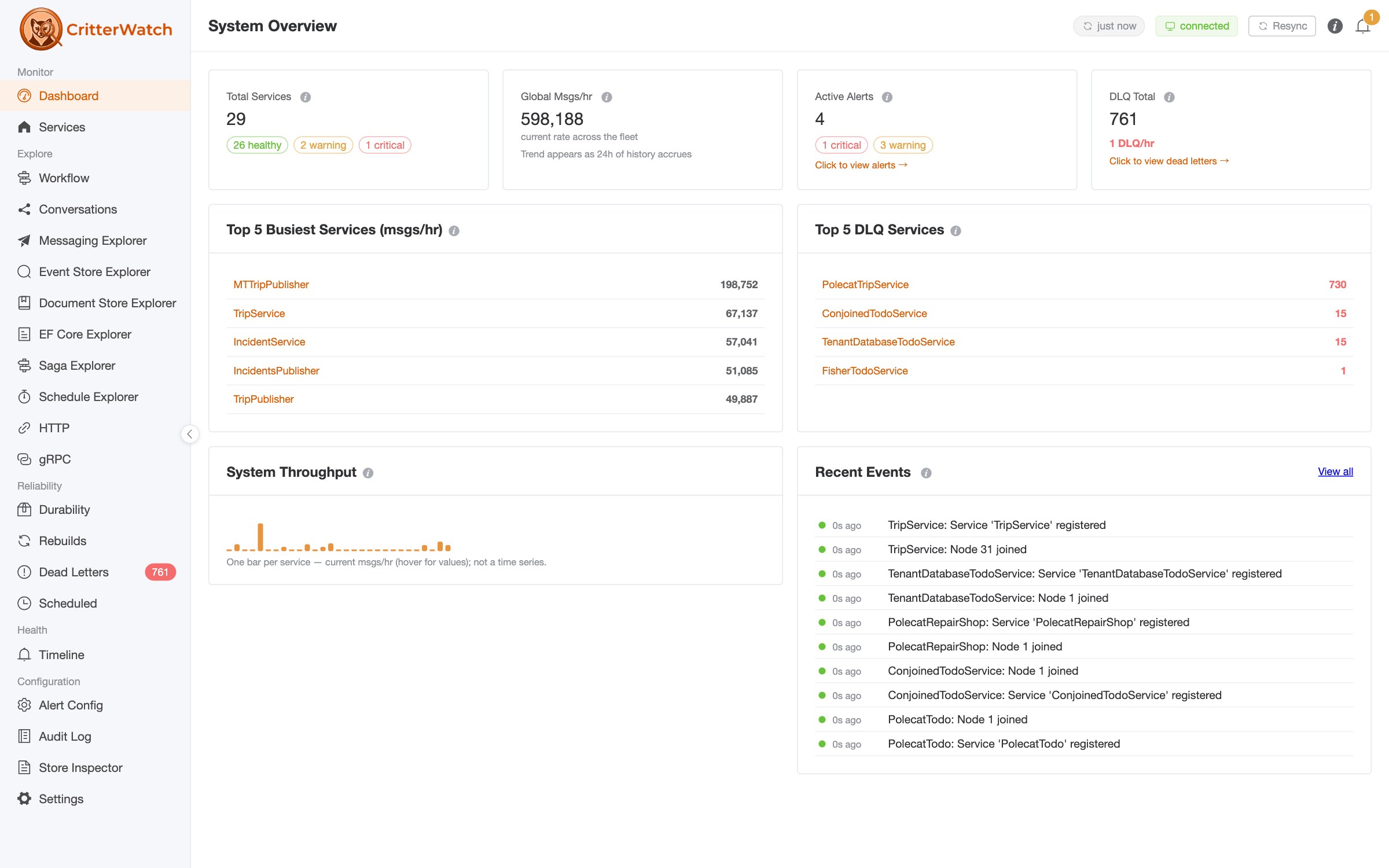
JasperFx's goal is to make the Critter Stack the very best technical solution for server side development in .NET, and we think the dead letter queue management improvements in the CritterWatch 1.1 release wave are going to help us make that case.
Four days ago, at the end of the dead letter management post, I wrote that the console work to build failure groups on top of Wolverine fingerprints was under way and that we'd write it up when it landed. It landed in CritterWatch 1.1.0 on Monday, so now let's talk about that!
The short version: a dead letter incident is usually a systematic problem rather than one-off issues. CritterWatch 1.1 now shows you the cause as a single row across your whole fleet, lets you act on it as a single operation, follows that operation until every dead letter queue store has answered, and tells you afterward whether any of the replayed messages failed again.
If you've used ServicePulse's failed message groups with NServiceBus, Wolverine + CritterWatch's new functionality is a superset of that, with CritterWatch adding MCP support so AI agents can help do some of the work for you.
Why the exception type was the wrong grain
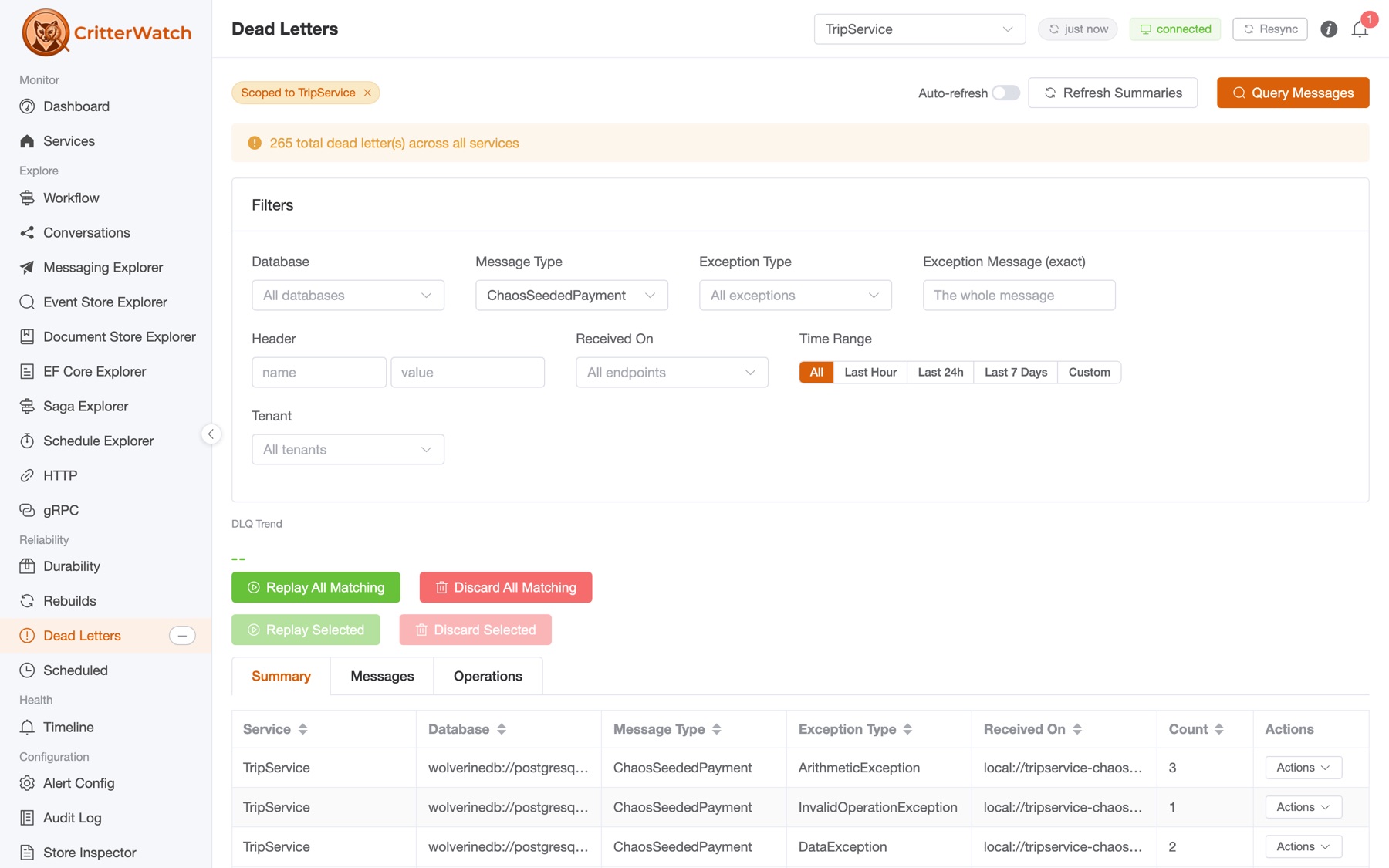
The Summary tab in CritterWatch 1.0 grouped dead letters by service, database, message type, exception type and receiving endpoint. That's good triage, and it's still there. But it answers "what died" rather than "why", and the two come apart in exactly the incidents that matter:
- A
TimeoutExceptionthrown from your payment gateway client and aTimeoutExceptionthrown from your shipping rate lookup are two problems that happen to share a .NET type. One of them may be fine to replay in ten minutes. The other may be a partner outage you'll be living with all afternoon. - One bug in one handler that four services share through a NuGet package is one problem that shows up as four rows, in four services, across however many tenant databases each of them has.
Wolverine 6.54 started fingerprinting each dead letter by the exception and where it was thrown, and CritterWatch 1.1 reads every service and merges those fingerprints itself. A failure that spans four services and twelve tenant databases is one row.
The Failure Groups tab
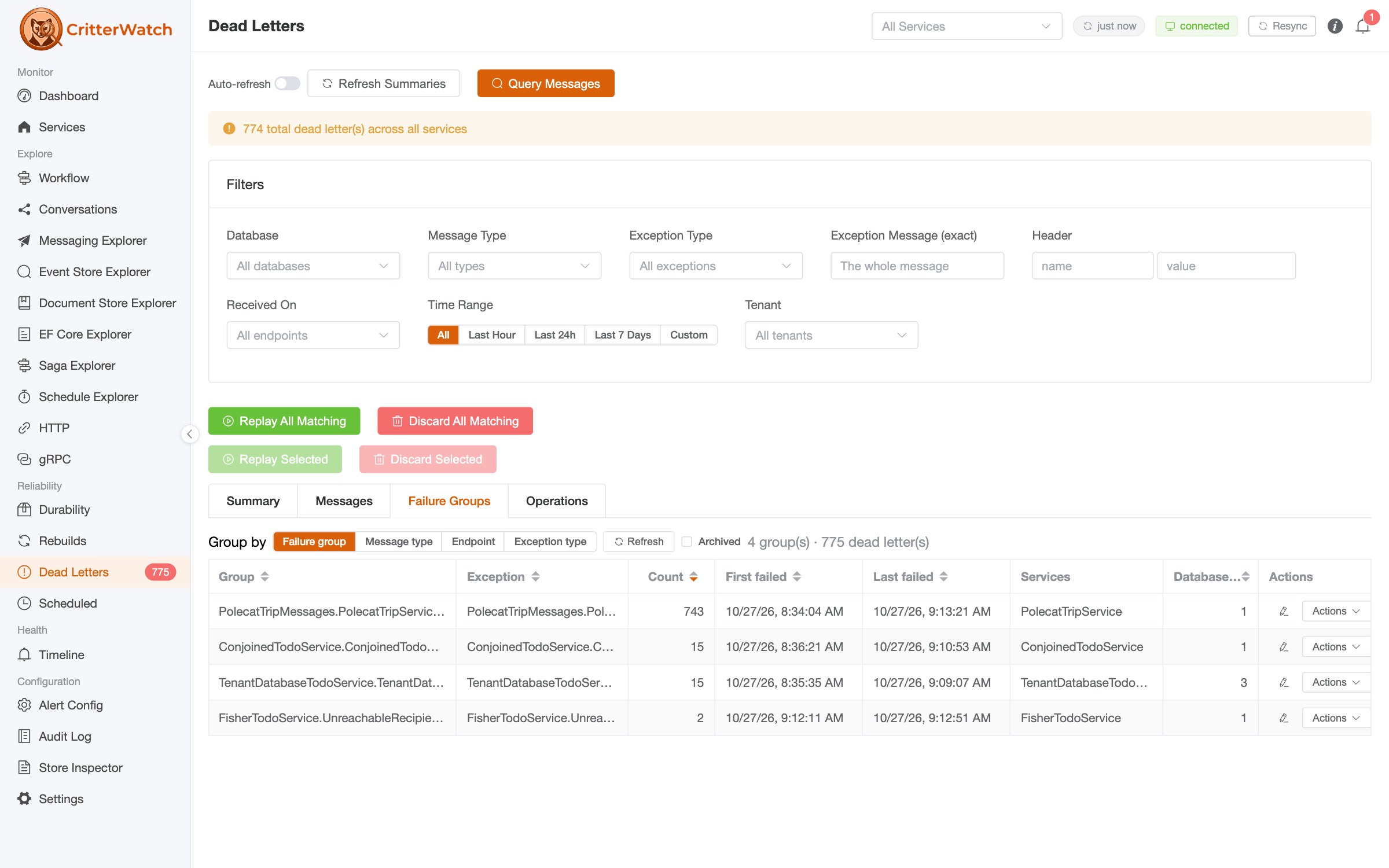
Group by picks the grain, and the page remembers your choice:
| Grouping | A group is |
|---|---|
| Failure group (default) | The same exception thrown from the same place, as Wolverine fingerprints it |
| Message type | One message type |
| Endpoint | The endpoint the messages were received at |
| Exception type | One exception type, wherever it was thrown |
Each row carries the group's title, its exception, the count, the first and last failure, the services it spans and how many databases. Everything but the Services column sorts, and the tab follows the page's service selection and time range like the rest of the Dead Letters page.
Click a group and you're looking at its messages. The Messages tab opens filtered to that failure group, the filter is in the URL (?failureGroup=) so a link to a group can go straight into the incident channel, and selection, replay, discard and export there all work on the group. One deliberate restriction: Replay All Matching and Discard All Matching are unavailable while a failure group is the filter, because they would not be limited to the group. Select the group's messages, or use the group actions below.
Partial answers are flagged, never shown as complete. This is the same discipline as the rest of the page: a database that didn't answer makes the counts a floor, and the tab says so rather than letting a short count read as a total.
Acting on a group
Each group's Actions menu runs one operation on every dead letter in the group:
| Action | What it does | Needs |
|---|---|---|
| Replay group | Puts them back on the wire to be handled again | dlq.replay |
| Archive group | Takes them out of the queue and its counts, keeping them, restorable | dlq.archive |
| Discard group | Deletes them permanently | dlq.discard |
| Restore group | (Archived view) Puts archived dead letters back in the queue | dlq.archive |
A few things about how these behave that I think are worth knowing before you reach for them:
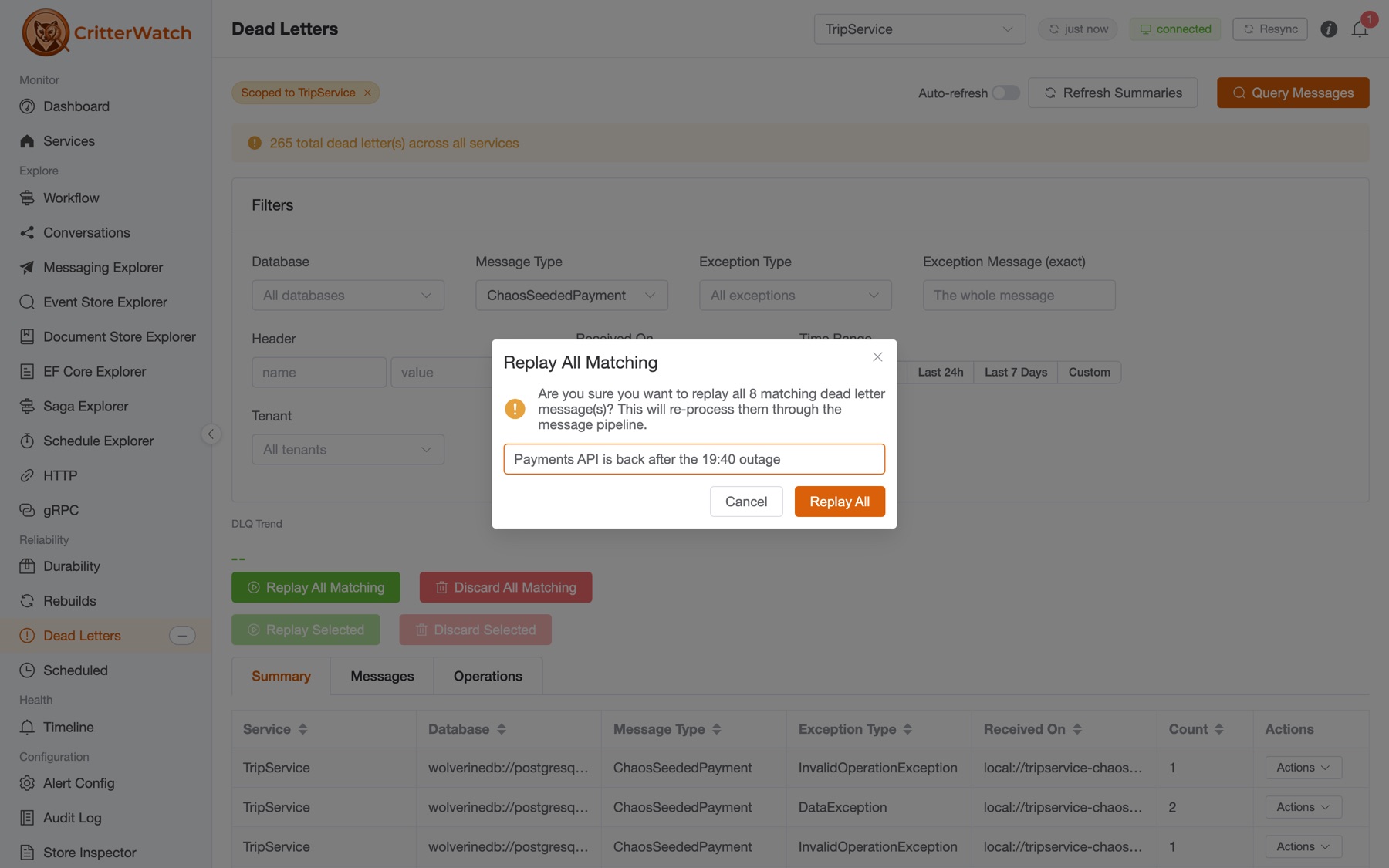
- A reason is required. It goes on the audit row and on the operation's history. Six weeks from now, "gateway recovered 14:10 UTC, replaying" is the difference between an audit log and a list of timestamps.
- It is one operation. A group that lives in one service is sent to that service. A group spread across several is sent fleet-wide, scoped by the group, and the console decides per service what can be sent to it.
- One operation per failure group at a time. A second operation on a group that has one running is refused, with a pointer to the running one. Cancel it or wait; you don't get two replays racing each other.
- Cancel stops the databases that haven't started yet. Each database runs one statement, so the ones already running finish; the rest answer "cancelled" and do nothing.
- Archive is the one I'd point people at. It takes a group out of the queue, out of the dead-letter counts, out of the alerts' DLQ rates and out of the Summary tab, without losing anything. It's the right move for "we know about this, it's a partner problem, stop paging me about it," and it's restorable when the partner comes back.
- Notes. The pencil on a group writes a note for the next operator: the ticket, the cause, "safe to replay after 2.4.1." A note belongs to the group's key, so it stays when the group is replayed and the messages come back, and an edit keeps the text it replaced.
Following it to the end
Every group action shows up on the Operations tab the 1.1 preview introduced, alongside everything a person does from the Messages tab and everything an agent does over MCP:

Progress reads "4 of 6 databases" until the last one answers. Affected is an exact count where the store reports one (Wolverine 6.54 on the relational stores) and not reported where it can't, never 0. A database whose replay throws is listed with its error and the others carry on. And on a finished replay of a failure group, Check re-failures counts the group's dead letters that were replayed and failed again since the operation started. That last one is the number that tells you whether the incident is actually over, and until 1.1 the console had no way to know it.
A service still on a Wolverine.CritterWatch client older than 1.1 runs its share but can't report back; after ten minutes of silence its operation reads Unconfirmed, not failed. Services on the 1.1 release candidates are in the same boat for groups specifically: they don't advertise the feature, so the console groups their dead letters by exception type and skips them for a fingerprinted group action. Upgrade the client and they join in.
The same loop, from an AI agent
Everything above has a twin in the MCP server, gated the same way (mcp.dlq.read to look, dlq.replay / dlq.archive / dlq.discard to act), audited on channel MCP with the client named. Here's what a session looks like. The prompts are what you'd type into Claude Desktop or Claude Code with CritterWatch's MCP endpoint connected; the tool calls are what the agent does with them.
What's dead-lettering across the fleet right now, grouped by cause?
The agent calls summarize_dead_letter_groups with no service name, which reads every service and merges:
summarize_dead_letter_groups()
{
  "grouping": "FailureGroup",
  "groups": [
    { "key": "…",
      "title": "HttpRequestException in PaymentGatewayClient.ChargeAsync",
      "exceptionType": "System.Net.Http.HttpRequestException",
      "count": 212,
      "firstFailedAt": "2026-10-29T13:52:10Z",
      "lastFailedAt": "2026-10-29T14:07:41Z",
      "services": ["OrderService", "SubscriptionService"],
      "databases": 6 },
    { "key": "…",
      "title": "JsonException in PartnerFeedHandler.Handle",
      "exceptionType": "System.Text.Json.JsonException",
      "count": 9,
      "services": ["InboundFeeds"],
      "databases": 1 },
    …
  ],
  "warning": null
}
Two groups, two different stories, and the agent can say so in a sentence: one is a payment gateway that started timing out at 13:52 and is hitting two services, the other is nine malformed records from a partner feed. The warning field is where a partial read would announce itself, and the skill we ship for this loop tells the agent never to call a queue clean on a partial read.
Show me a few of the messages in the payment gateway group.
query_dead_letters("OrderService", failureGroup: "…", limit: 5)The envelopes come back with their ids, exception messages, attempt counts, and from 6.54 their replay history: replayCount, firstFailedAt, lastReplayedAt. That history is null for a dead letter written before the store recorded it, which means unknown, not zero.
The payment gateway is back as of 14:10 UTC. Replay that whole group with the reason "gateway recovered 14:10 UTC."
Replaying is the recovery path, so it runs when it's called:
replay_dead_letter_group(failureGroup: "…", reason: "gateway recovered 14:10 UTC")
{
  "accepted": true,
  "operation": "Replay",
  "operationId": "7d5b…",
  "failureGroup": "…",
  "scope": "every monitored service (those without the group affect none)",
  "note": "Accepted means sent. The console may still refuse it (another operation on this group is running, …)"
}
That operationId is the row on the Operations tab. The agent, or you, can watch it settle there.
Discard the partner feed group. Those records can never succeed.
Discarding cannot be undone, so the server asks first. The first call changes nothing:
discard_dead_letter_group(failureGroup: "…", reason: "malformed partner records, re-sent by the partner 10-29")
{
  "confirmationRequired": true,
  "preview": {
    "action": "Permanently delete every dead letter in failure group '…' on every monitored service.",
    "cannotBeUndone": "A discarded dead letter cannot be replayed or recovered. archive_dead_letter_group keeps them."
  },
  "confirmationToken": "…",
  "message": "Nothing has been changed. To perform this, call discard_dead_letter_group again with exactly the
              same arguments plus confirmationToken. Show the preview to the user before you do."
}
The agent shows you that and waits. "Go ahead" produces the second call, same arguments plus the token, and only then is anything deleted. The token is single-use, lives five minutes, and is bound to the caller, the tool and those exact arguments, so an agent cannot preview nine messages and then delete nine hundred. A client set to auto-approve every tool still cannot skip the preview, because it isn't the client asking. Notice too that the preview itself points at the gentler option: archive keeps them.
Did any of the replayed payment messages fail again?
The agent re-queries the group and reads replayCount and lastReplayedAt off the envelopes that came back, which is the same arithmetic the Operations tab's Check re-failures does. If the answer is "twelve of 212, all from one tenant," that's the next prompt.
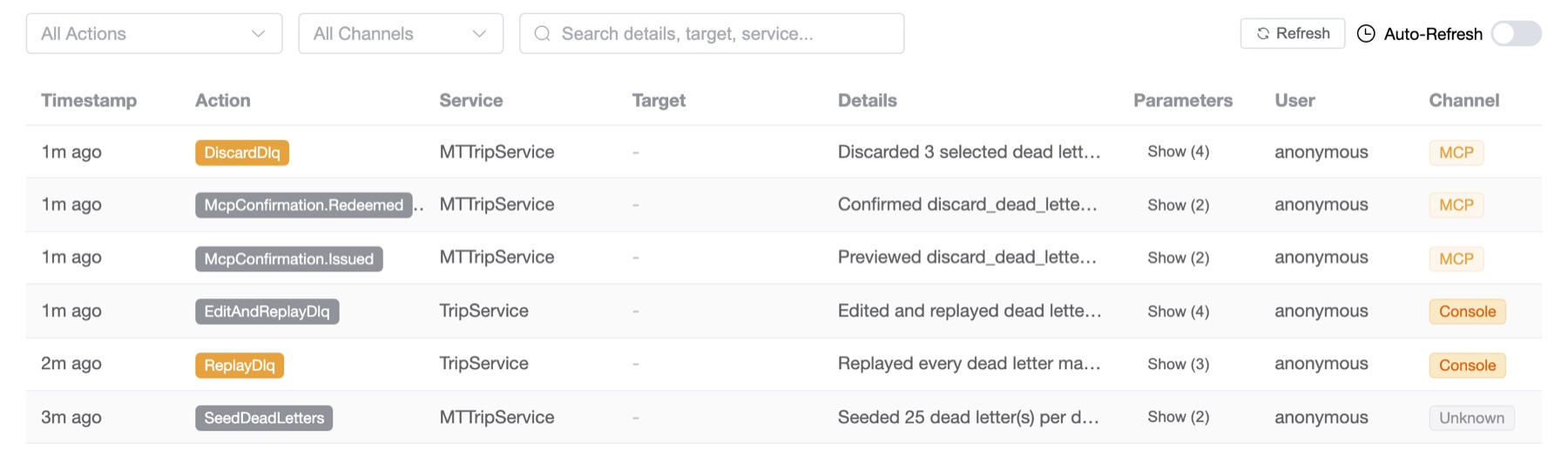
Every one of those actions is in the audit log with its channel, its client and its reason, and the two confirmation rows sit next to the discard so you can see what the agent was shown before it acted. One honest gap: the agent can't write the note on the group yet. That's a console-only action today, and it's filed to fix, because "safe to replay after the partner fix" is exactly the sentence an agent should be leaving behind.
What you need
- Wolverine.CritterWatch 1.1.0 on the monitored service, and Wolverine 6.54 or later underneath it, for fingerprints, exact counts and replay history. Older services keep working; they're grouped by exception type.
- Two new capabilities if you run RBAC:
dlq.archiveanddlq.note. The rc.3 to 1.1.0 step also adds two console tables, which the console creates itself unless a DBA scripts your database. The upgrade notes have the detail. - The docs: Dead Letters › Failure Groups and Operations for the page, MCP for the tools and the confirmation tokens.
Getting it
CritterWatch 1.1 is on NuGet as CritterWatch (Marten / PostgreSQL), CritterWatch.SqlServer (Polecat) and CritterWatch.Sqlite (Fisher, no database server at all), with Wolverine.CritterWatch in each monitored service. Read-only monitoring needs no license. Replaying, archiving and discarding dead letters, the audit log and the whole MCP server are part of a commercial license: tiers and pricing are in the CritterWatch plans section of our products page, every JasperFX support plan offers CritterWatch as an add-on, and you can ask us for a trial license to evaluate it first. Questions and bug reports go to JasperFx/ProductSupport or the #CritterWatch room in the Critter Stack Discord.