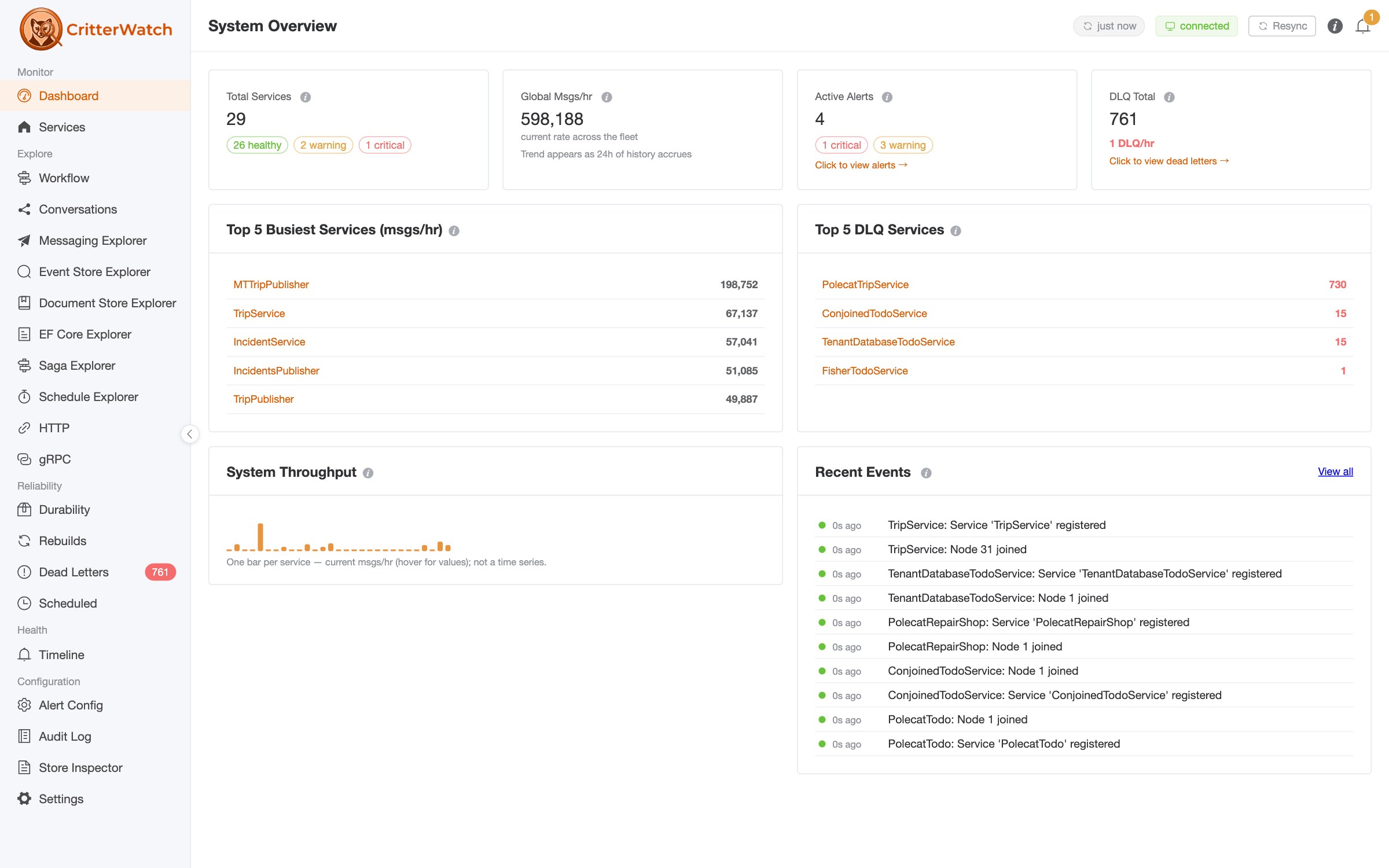
From dev-time insight to production control for the Critter Stack — for you and your AI agents. Now available on Nuget, but you'll need a license from JasperFx to light up all the fun management and AI stuff.
The Critter Stack has never been short on critters. Wolverine hauls your messages around, Marten minds your events, Polecat does the same trick on SQL Server — a whole menagerie quietly running your system at three in the morning. Lovely animals, all of them. Slightly nocturnal. Not always forthcoming about what they're up to.
Say hello to CritterWatch — the one whose job is to keep an eye on the rest of them. 1.0.0-alpha.2 is loose on NuGet today with some improvements after feedback from very early adopters.
CritterWatch was originally envisioned as a production monitoring tool with a specific emphasis on managing all the asynchronous comings and goings from Event Driven Architecture, but while we pursuing that, AI snuck up and changed everything. As AI agents became more important to our daily work, it became obvious that that same X-ray vision is just as handy before you ship — and that your AI assistant would very much like a look through the same lens. So CritterWatch grew up into something bigger:
From dev-time insight to production control for Wolverine, Marten, and Polecat — for you and your AI agents.
Your mental model is a lovely work of fiction
Event-sourced, message-driven systems are a joy right up to the moment you have to explain one. Which handler publishes that event, again? What does this projection actually produce at version N? What schema did Marten really generate? Where did that message wander off to, and why is it sulking in the dead letter queue? What is the exact code that Wolverine is generating around your HTTP endpoint methods or message handler methods?
You can read the code and keep a tidy little model in your head. CritterWatch just shows you the real animal.
See what the critters are doing — at dev time
Point CritterWatch at your running solution and it lays out the ground truth of your wiring:
- Live event models — the events, streams, and projections you really have (not the ones you meant to).
- Store schema & DDL — the canonical SQL Marten/Polecat will create, syntax-highlighted.
- Generated handler & projection source — the actual code Wolverine runs, warts and all.
- HTTP & message chains — what each endpoint and handler flings downstream.
Keep them in line — in production
The monitoring console you'd hope for, event-sourced down to its little paws:
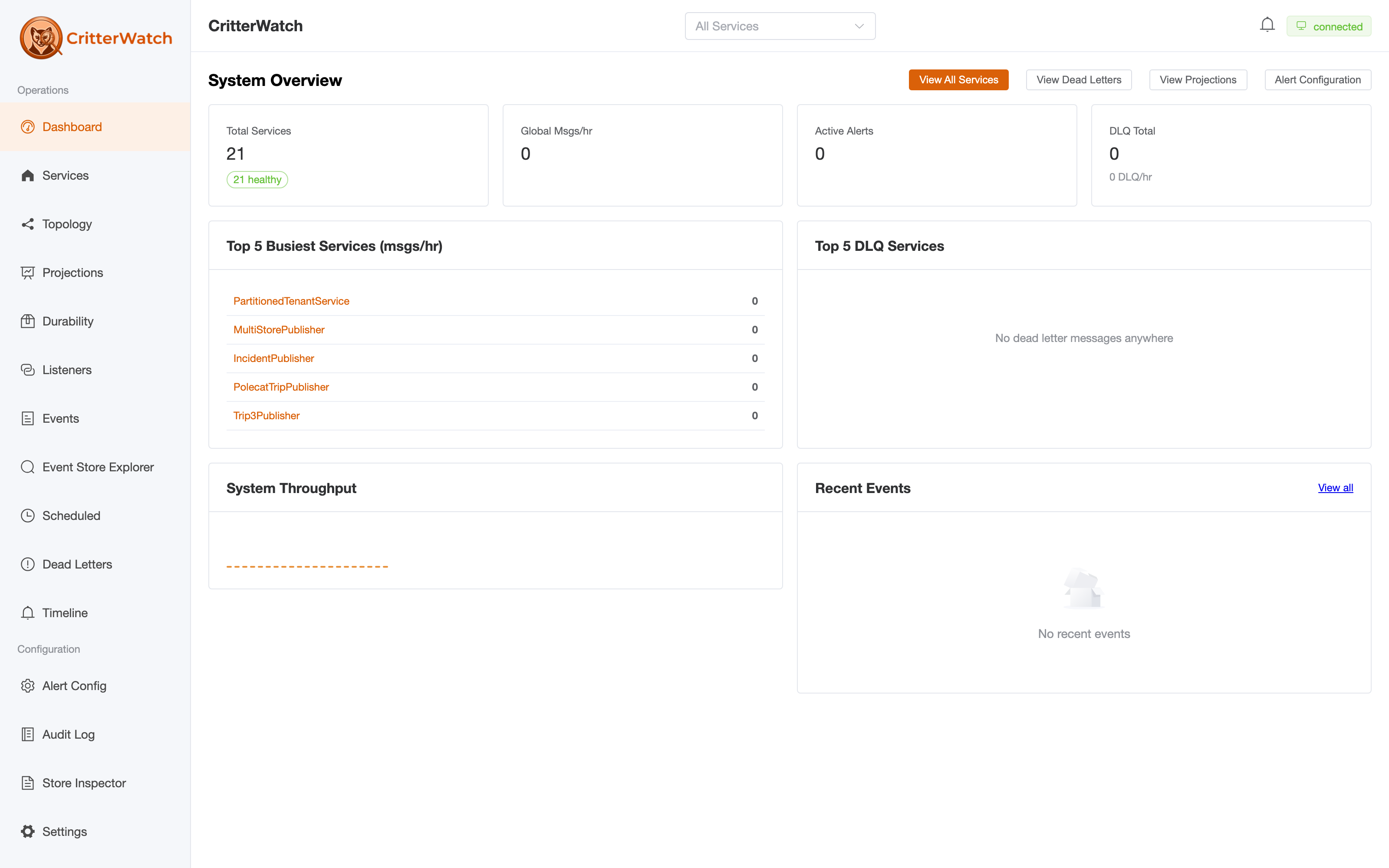
- Real-time dashboards over SignalR — service health, nodes, agents, throughput, error rates.
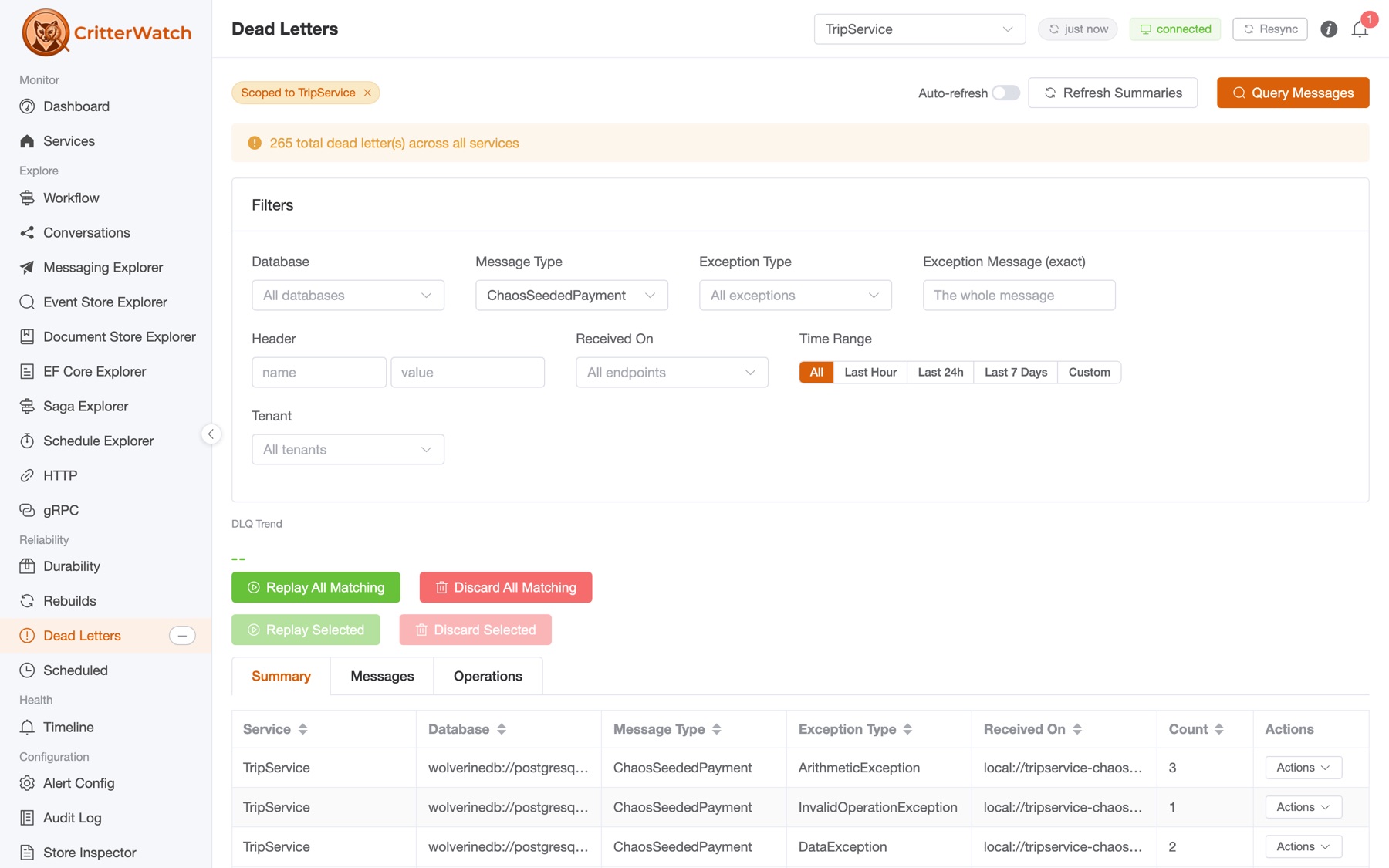
- Dead Letter Queue explorer — query, filter, replay, edit-and-replay, or discard across every service from one view, with batch operations and exception grouping.
- Projection monitoring — watch async lag, catch stalls, and pause / restart / rebuild / rewind straight from the console — no redeploy, no incantations.
- Fully event-sourced alerting — thresholds with a complete raised → resolved lifecycle, stored as immutable events, because of course they are.
- Multi-tenant support — add/disable/remove tenants at runtime, with per-tenant metrics, DLQ filtering, and projection health.
Bring your AI to the zoo
CritterWatch ships a cross-application MCP server. Point Claude — or any MCP agent — at one endpoint and it can interrogate every monitored service: spans by saga or stream id, projection lag, dead letters, alerts, metrics — and then do something about it, tenant-scoped and RBAC-gated. Diagnose an incident or explain your config without ever leaving the chat.
It's better still with a partner in crime: the official JasperFx AI Skills. CritterWatch gives your assistant a live, queryable view of your running system; the AI Skills give it the hard-won expertise to use that view well. Point your agent at both and it can reason about your architecture and peer at what it's actually doing in production.
Coaxing one home
CritterWatch is a single console you host yourself. For a single-node setup it's about as much fuss as any other Critter Stack package:
using CritterWatch.Services.Hosting;
using Wolverine.RabbitMQ;

var builder = WebApplication.CreateBuilder(args);

builder.AddCritterWatch(
    builder.Configuration.GetConnectionString("critterwatch")!,
    configureWolverine: opts =>
    {
        opts.UseRabbitMq(builder.Configuration.GetConnectionString("rabbitmq")!).AutoProvision();
        opts.ListenToRabbitQueue("critterwatch");
    });

var app = builder.Build();
app.UseCritterWatch();   // dashboard, SignalR hub, and the embedded SPA
return await app.RunJasperFxCommands(args);
Each service you want watched adds a single line — opts.AddCritterWatchMonitoring(...) — inside its existing UseWolverine. That's the whole trick. Single-node is the default, so there's no clustering to wrestle with. Full walkthrough in the Quick Start.
You already have a couple options for deployment:
- A completely separate ASP.Net Core application with your own security and hosting. Aspire is handy for local usage.
- Embed CritterWatch into a single existing ASP.Net Core application so it can work in process with just that one service
Both options can be backed by either PostgreSQL and Marten or SQL Server 2025 and Polecat.
It's an alpha, and it knows it
1.0.0-alpha.2 is feature complete — everything above genuinely works today against the current Critter Stack (Wolverine 6.10, Marten 9.8, Polecat 4.5). What's still coming is the fur and polish: a lot more UI gloss, smoother flows, and the kind of visual storytelling a tool like this deserves. It's a little rough around the edges, and we're showing it off anyway, because the capability is real and we'd rather hear what you think while the gloss lands.
So: take it for a walk. Point your AI at it. Tell us where it bites.
- 📦 NuGet:
CritterWatch,Wolverine.CritterWatch,CritterWatch.Mcp - 📖 Docs: critterwatch.jasperfx.net
- 🤖 AI Skills: ai-skills.jasperfx.net
Happy critter-watching. 🦫