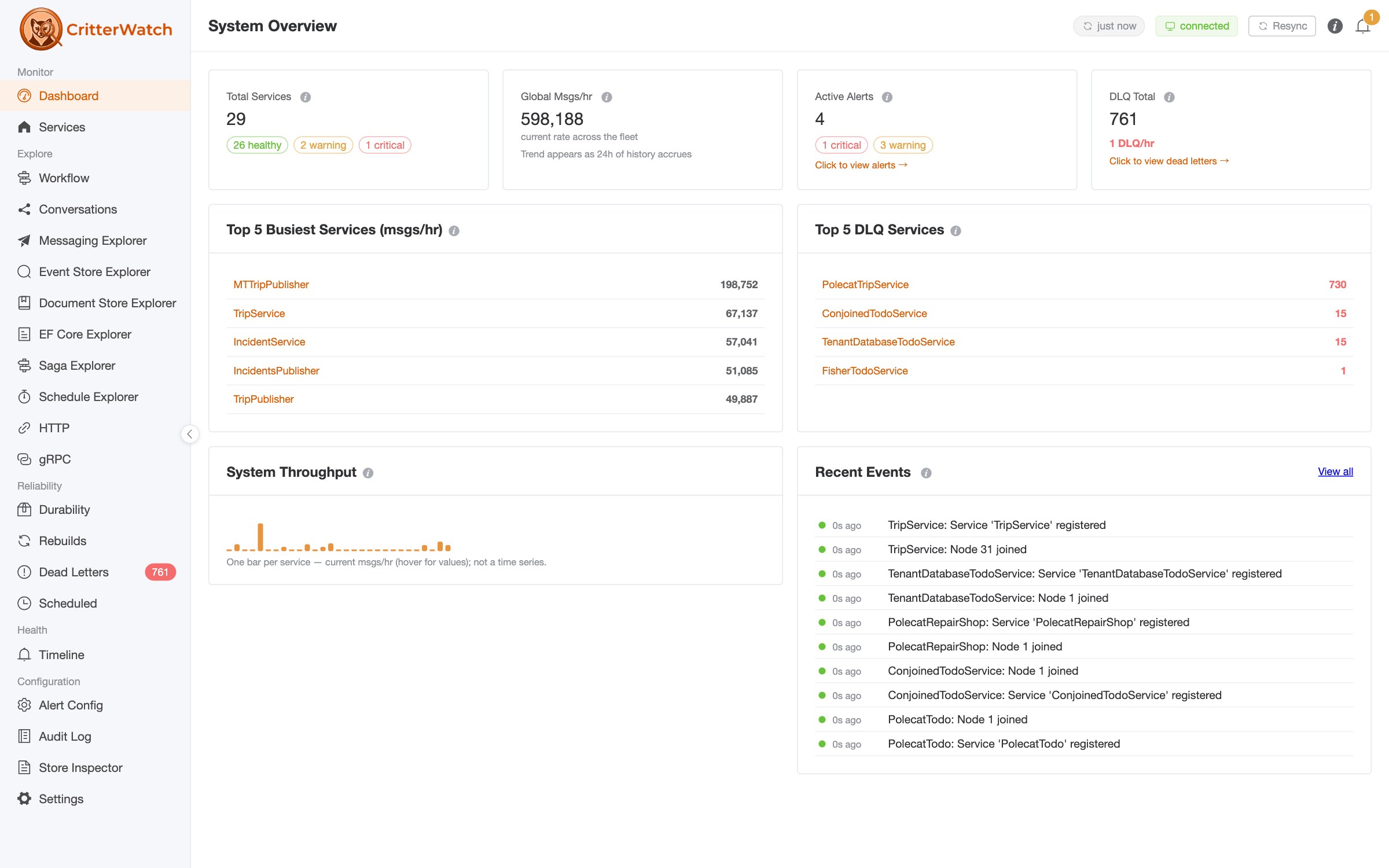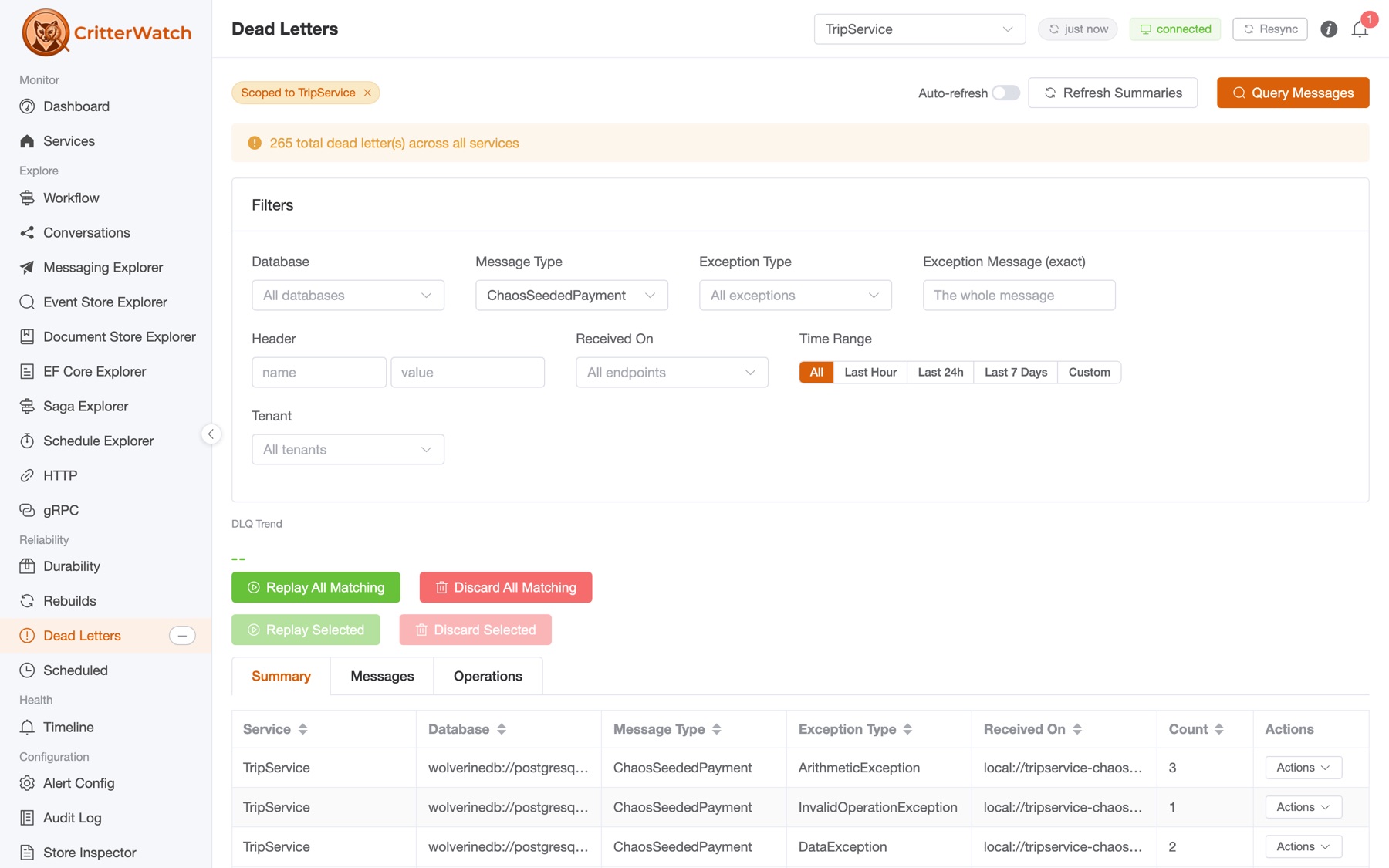
Yesterday we shipped CritterWatch 1.0 RC 1. This post digs into a unique capability of the "Critter Stack" that often decides whether a SaaS team can keep shipping on a Friday: adding and removing tenants while the system is running, and seeing what each tenant is actually costing you.
First though, some bookkeeping:
Where everything lives
- Documentation — critterwatch.jasperfx.net is the full reference: installation, transport options, deployment and clustering, RBAC, and a page per console surface. The Multi-Tenancy page is the reference for everything below.
- Report a bug or request a feature — the JasperFx/ProductSupport repository on GitHub is the public issue tracker for CritterWatch, the AI Skills, and our other commercial products. RC feedback belongs there, and we'd genuinely like to have it before 1.0 final.
- Talk to us — come find us in the Critter Stack Discord. There's a dedicated #CritterWatch room; that's the fastest way to get a question in front of the people who wrote this.
- Buy a license — the CritterWatch plans section on our products page has the Starter / Professional / Enterprise tiers and their per-service limits, with a buy link on each. You can also request a trial license to evaluate it before you commit.
- Or bundle it with support — every JasperFX support plan includes our AI Skills collection and offers CritterWatch as an add-on, and it's included outright with Premium (Enterprise tier, unlimited services). If you were already weighing a support contract, that's usually the better arithmetic.
The Critter Stack is very good at multi-tenancy
Marten has rich options for segregating tenant storage within the same database, using database partitions, or going all the way to separate databases for different tenants. Polecat inherits a lot of that capability but for SQL Server development. And Wolverine has deep support for multi-tenancy well beyond what any other .NET messaging or "mediator" tool offers today -- and lets you use Marten, Polecat, or EF Core for that storage.
The Critter Stack even has the ability in some configuration options to allow you to spin up all new tenant support in a running system without any downtime. With the advent of CritterWatch, we're also letting your DevOps folks be able to remove a tenant from a running system across your whole application cluster.
Hey, multi-tenancy requirements has been one of the most common areas where JasperFx Software has helped our clients, and we're able to consulting or our ongoing support contracts for shops who want that.
What "dynamic" actually means here
Wolverine, Marten, and Wolverine's EF Core integration all expose services to manage tenant to database assignments, and CritterWatch of course knows how to use that (not coincidentally because it was purpose built for CritterWatch).
That single abstraction is why CritterWatch's tenant management is not per-store special-casing. The console sends a command; whatever sources the service registered light up automatically. Today that means:
| Source | Shape | Runtime lifecycle |
|---|---|---|
Marten MasterTableTenancy | Database per tenant, registry in a master table | Add (with connection string) / Disable / Enable / Remove / Hard delete |
| Marten sharded tenancy | Tenant auto-assigned to a shard | Add (no connection string — the store picks the shard) / Disable / Enable / Remove |
Wolverine MasterTenantSource | Database per tenant for the message store | Add / Disable / Enable / Remove / Hard delete |
Wolverine EF Core ConjoinedTenantSource<T> | One shared database, a partition per tenant | Add / Disable / Enable / Remove (drops the partition, never a database) |
We're going to add dynamic multi-tenancy support very soon for Polecat too
And of course, because there are 100% folks out there who do this kind of thing with "modular monoliths," it's quite possible to even have two separate data sources in a Wolverine application that support dynamic multi-tenancy. Not sure exactly why you want to do that, but we have planned for that.
The Tenants tab
When a monitored service advertises any tenancy at all, its service detail page grows a Tenants tab. What renders there depends on what the service can actually do — the console doesn't offer you a button that the service will reject:
| Mode | Meaning | Tenants tab |
|---|---|---|
| None / Single | Not multi-tenant | Tab not shown |
| Conjoined | All tenants share one database, partitioned by tenant id | Read-only list |
| StaticMultiple | Tenants pinned to databases at startup | Read-only list, "static / sharded" tag |
| DynamicMultiple | Tenants added and removed at runtime | Full lifecycle controls |
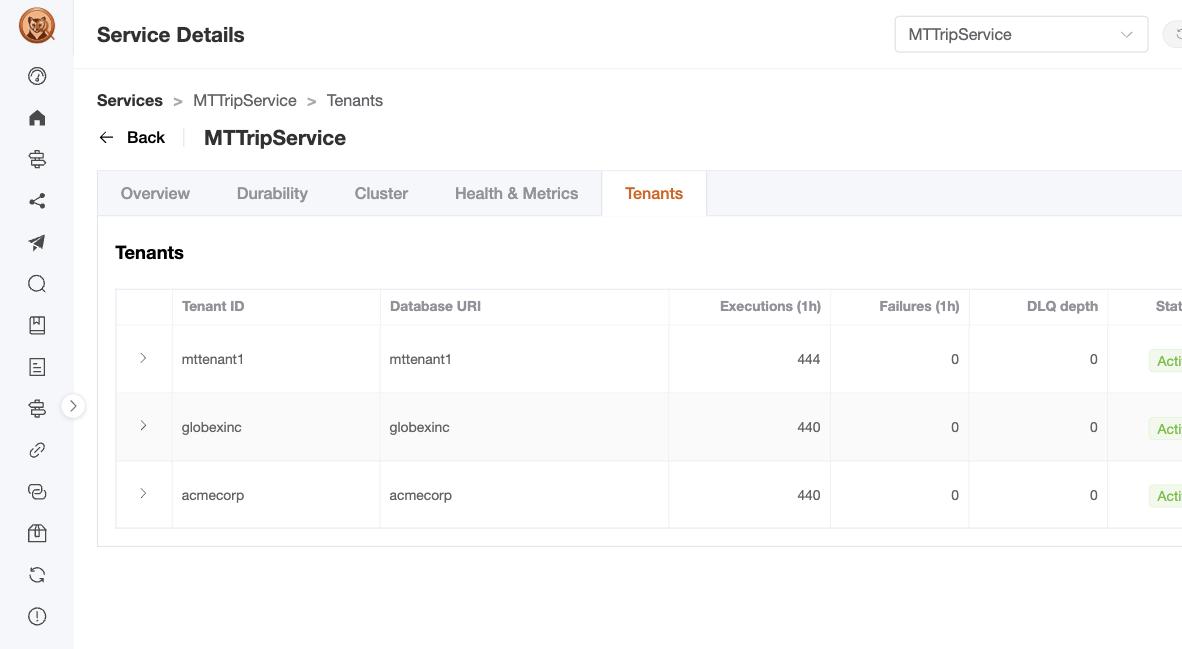
Two of the three tenants in that screenshot did not exist when the service started. They were added through the console a few minutes earlier, and they are already carrying traffic.
Adding a tenant while the system runs
The Add Tenant dialog takes a tenant id and a connection string. What happens next is more than a registry insert:
- CritterWatch relays an
AddTenantcommand to the target service over your Wolverine transport. - The service handler provisions the physical Postgres database if it doesn't exist yet, once, before any fan-out.
- The command fans out to every registered dynamic tenant source.
- The store applies its schema to the new database.
- The service reports the new tenant in its next telemetry batch, and the row appears with
Activestatus.
End to end that's typically one to three seconds, dominated by the schema-apply step. No deployment, no restart, no config change, and no downtime for the tenants already running.
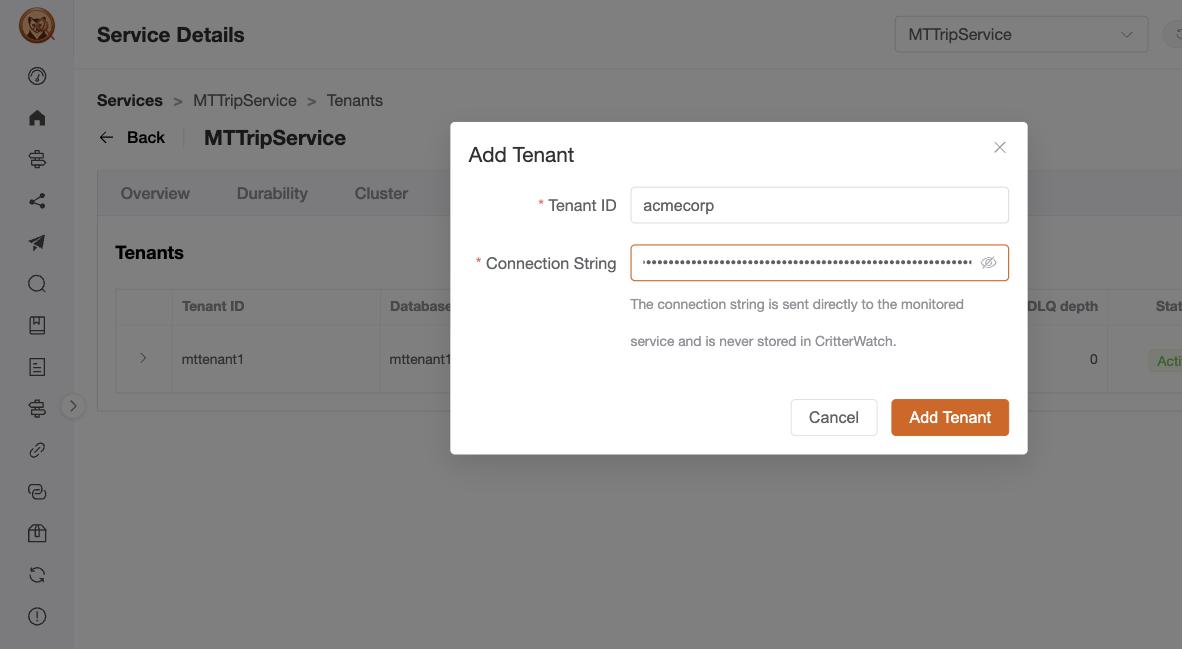
The acmecorp tenant in that dialog is the one that shows up in the tenant list above. Submitting it created the acmecorp PostgreSQL database — the console provisioned it, registered it in the service's master table, applied the schema, and had the tenant reporting telemetry inside of a few seconds, on a fleet that stayed up the whole time.
For sharded tenancy, leave the connection string empty — that's the auto-assign path, where the store picks the shard itself. The dialog also hides the connection-string field entirely for conjoined-only services, because a caller-supplied connection string is rejected upstream for those (there's only one database, and it isn't yours to name).
The connection string is a credential
It travels over your transport from the console to the service. CritterWatch does not persist it — only the database URI (host + database name) for identification. Use TLS on your transport (amqps://) in production, and if you want a clean audit trail, rotate the database password after cutover. The audit log captures the click, not the secret.
Four verbs, increasing severity
Removal is where multi-tenant tooling usually gets this wrong, by offering exactly one destructive button. CritterWatch separates the lifecycle into four operations because the operational situations behind them are genuinely different:
| Action | Effect | Reversible? |
|---|---|---|
| Disable | Soft toggle. Sessions against the tenant throw UnknownTenantIdException. Data preserved. | Yes — re-enable |
| Enable | Undoes a disable | — |
| Remove | Drops the registry row only. The per-tenant database is left intact for backup or forensics. | Yes — re-add with the same id and connection string |
| Hard delete | DROP DATABASE … WITH (FORCE) and the registry row. Permanent. | No |
"Disable" is the churn button — it stops the tenant reaching their data immediately while you wait out the retention window. "Remove" is the one you reach for when you're done with the registry entry but not ready to destroy anything. "Hard delete" is the one that actually ends it.
Hard delete is gated behind a typed-id confirmation: the operator has to type the exact tenant id before the confirm button enables. The intent is friction proportional to blast radius. It also does the careful thing under the hood — reconnecting against a maintenance database first, because Postgres refuses to drop a database while a connection targets it, then WITH (FORCE) to terminate whatever sessions are left.
And for conjoined sources, hard delete is detected by shape and takes an entirely different path. The connection string a conjoined source reports for a tenant is the shared application database; running the drop branch against it would destroy every tenant plus the application's own storage. Instead it delegates to the source, which removes the registry record and drops that tenant's data partition. No database is dropped, and the log line says so explicitly.
Each row on the Tenants tab carries these as per-row actions, with a bulk-free, one-tenant-at-a-time design that's deliberate rather than an omission (see the closing notes).
Metrics broken down by tenant id
This is the half of the story that has nothing to do with administration, and it's the half you'll use every day.
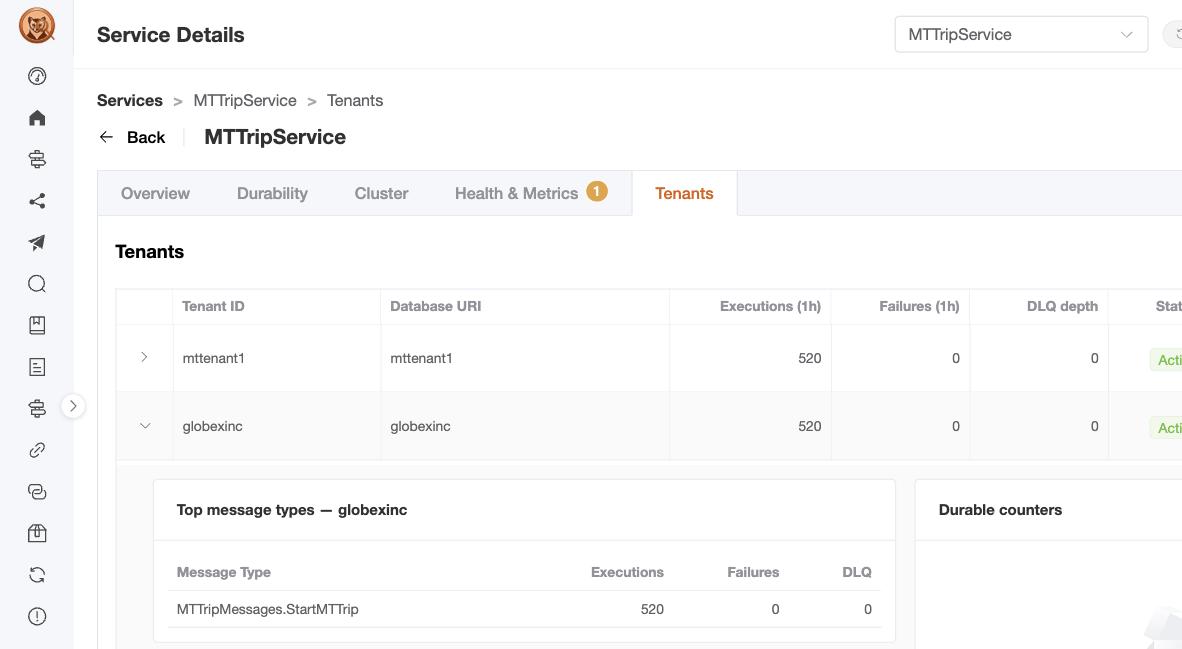
The Tenants tab carries per-tenant traffic columns — executions, failures, and dead-letter depth — so the noisy-neighbour pattern is visible without running a query. A tenant whose DLQ depth is climbing while everyone else is flat is the one to open.
Expanding a tenant row drills into the two things you want next: the top message types for that tenant by execution count with their failure and dead-letter counts, and the tenant's full durable counters — incoming, scheduled, outgoing, handled, dead-letter. That's "which tenant" and "doing what" on one screen.
Per-tenant projections
Every tenant gets its own projection shards with independent sequence tracking, and the Projections page renders one row per (shard, tenant) pair. The pause / restart / rebuild / rewind controls are per row — rebuilding TripSummary:All for one tenant leaves the other four hundred advancing untouched.
This matters more than it sounds. A global high water mark hides a stuck tenant: the aggregate looks healthy while one tenant's shard has been frozen for an hour. Per-tenant progression rows are what make that visible.
On the Event Store Explorer's Operations tab, each projection for a database-per-tenant service reports across all of its tenants — a Multi Stream / Async projection spanning "3 databases," expandable to the per-database progression rows behind that summary.
Shard identities are composed and parsed through JasperFx's ShardName throughout, which is why versioned and per-tenant shards resolve correctly instead of being mangled by string concatenation — a Name:V2:All:tenant-id is a different thing from Name:All, and the console knows it.
And everywhere else
The same tenant scoping runs through the rest of the operational surfaces:
- Dead letters — the tenant filter scopes both the query and the replay/discard operations. A replay against
acme-corpcannot touchglobex-inc. - Scheduled messages — tenant filter scopes the list and per-message edits and cancels.
- Durability — each tenant's inbox and outbox is its own row.
That isolation is enforced server-side, by routing each operation through the target service's handler with the tenant id attached. It isn't a UI filter you can defeat by editing a query string.
The safety story
Tenant operations are the most destructive things CritterWatch can do, so they carry the most gating.
Every state-changing handler requires a license and throws LicenseRequiredException rather than silently no-op'ing — an operation that gets dropped without telling you is worse than one that fails loudly.
RBAC scopes per tenant, not just per service. With AddCritterWatchAuthorization<TAuthorizer>() enabled, capability resource strings are {serviceName}:{tenantId}, so you can grant an on-call engineer rights over one tenant without handing them the fleet. Hard delete has its own capability, separate from the ordinary tenant-management one — the highest-impact operation isn't bundled with the routine ones.
Every transition lands in the audit log against the ClaimsPrincipal from your host's auth layer, and hard deletes record an extra-verbose entry with the typed id, database URI, and confirmation time.
Your AI assistant can drive it too
The same tenant lifecycle is exposed as MCP tools — AddTenant, EnableTenant, DisableTenant, RemoveTenant, HardDeleteTenant — so an assistant can carry out "onboard this tenant and confirm its projections started clean" end to end.
Every one of them is gated. Action tools run through an authorization context that checks the license before the RBAC capability check, so a mutating call has to clear both, and HardDeleteTenant requires its own distinct capability. We would rather ship this conservatively than discover that somebody's coding assistant hard-deleted a tenant database because it was being helpful.
Things worth knowing before you rely on it
A few sharp edges we'd rather you heard from us:
- Tenant id normalization is silent. If your Marten store sets
TenantIdStyletoForceLowerCaseorForceUpperCase, bothAddTenantand session-open rewrite the id before doing anything with it. You cannot have two tenants differing only in case — the second add resolves to the first. The dialog warns inline if the id you typed would be rewritten. - Very large tenant counts stress the telemetry batch. The per-second
ServiceUpdatespayload carries a row per(shard, tenant)plus per-tenant durable counters. Past a few hundred tenants that can approach the 256 KiB SQS cap; the integration logs a warning above 240 KiB compressed. Sustained warnings mean it's time to split the service. - This is not a tenant onboarding workflow. Add Tenant is a low-level admin tool. Production onboarding — billing, provisioning, SLA assignment — belongs in your own admin UI. Use this for ad-hoc additions and incident-time fixes.
- No bulk operations, deliberately. One tenant at a time. Bulk operations against tenant databases are usually a red flag, and there's no "rebuild every tenant" button yet.
- Alert thresholds don't cascade per tenant yet. They go global → service → message type. To suppress alerts for one tenant during a known issue, use a per-shard suppress on the Alert Configuration page.
Getting started
Two packages. In each monitored service:
dotnet add package Wolverine.CritterWatch --version 1.0.0-RC.1And for the console host:
dotnet add package CritterWatch --version 1.0.0-RC.1The console needs PostgreSQL 14+ with Marten 9+ for its own storage, and every monitored service runs on Wolverine 6+. Nothing about the tenant features needs console-side configuration — a multi-tenant service advertises its tenancy mode at startup and the console adapts. Full walkthroughs are in the installation guide, and the Multi-Tenancy reference covers the details this post skimmed.
If you're running multi-tenant Critter Stack systems, this is the release to try. Tell us what breaks — ProductSupport or #CritterWatch in the Critter Stack Discord, and support customers can always reach us directly.