It's been a busy month across the Critter Stack, and today a lot of that work lands at once. Four releases went out in the same wave, and they are meant to be used together:
| Product | Release | What it is |
|---|---|---|
| CritterWatch | 1.1.0 | The monitoring and production management console for Wolverine, Marten, Polecat and Fisher systems |
| Bobcat | 1.0.0 | Spec-driven integration testing for .NET, and the successor to Storyteller |
| Critter Stack AI Skills | 1.17.0 | 126 skills that teach your coding agent how the Critter Stack actually works |
| Stoat | 0.5.0 preview | The design-time surface for AI-assisted development across your repositories |
We've been busy. CritterWatch 1.1 closed 277 issues since 1.0, most of them earned the hard way by running the console against real production systems for JasperFx clients. CritterWatch's MCP server is now the most capable AI surface of any monitoring tool for asynchronous messaging on any platform. Bobcat 1.0 is our answer for spec-driven development and a better experience for automated integration testing, and it is the piece that ties Event Modeling to executable specifications to the code an agent or a human writes against them. The AI Skills keep pace with all of it. And Stoat, which some of you have seen peeking out of screenshots for a couple of months now, finally gets a public preview.
Put together, I'm comfortable saying out loud what we've been working toward for the past couple of years: the Critter Stack is the most comprehensive and capable platform for server-side development on .NET. Maybe not the most popular (and never will be because we're not Microsoft), but the one that covers the most ground, from the database to the message broker to the production console to the tooling your AI agent uses to work in it.
If you'd rather watch than read, our most recent live stream, Event Modeling the Critter Stack Way, walks through the Event Modeling to specifications to code workflow that Bobcat and the AI Skills exist to serve:
Bobcat and Stoat especially have advanced quite a bit from that video
CritterWatch 1.1
The CritterWatch work also "helped" lead to quite a few improvements in Wolverine's Agent Assignment subsystem. Good times!
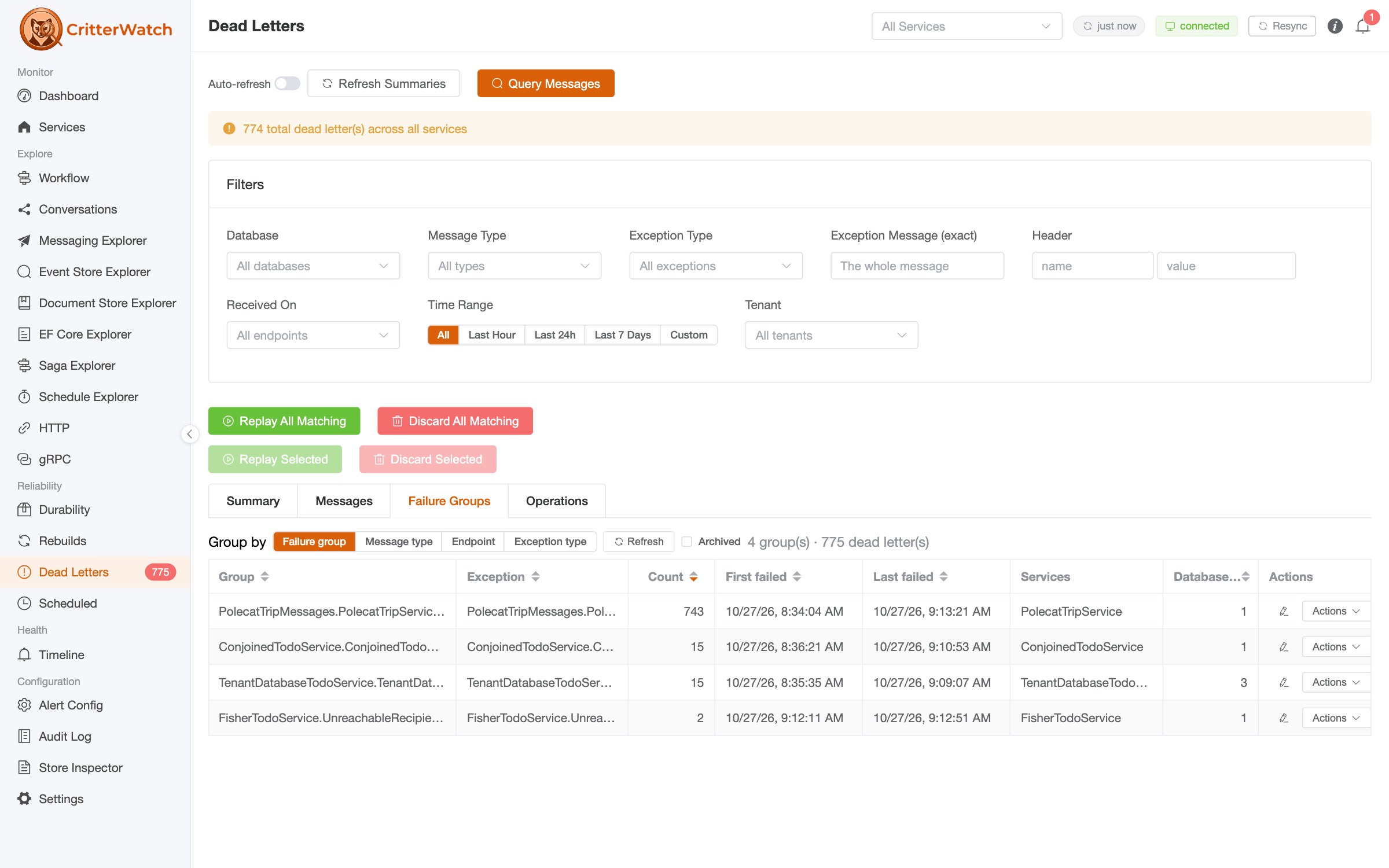
CritterWatch 1.0 shipped in August, and the first thing that happened was that real systems started hitting it. One of them has 512 PostgreSQL databases and 11,637 projection shards. Another runs 2,173 tenants. A console that had been designed against a test fleet of two databases met those systems very differently than it met our samples, and a lot of 1.1 is closing that gap. We also learned some hard lessons about how best to present and visualize system data for really big systems. At the other end of the spectrum, we also improved the ability to quickly stand up embedded CritterWatch instances for shops who need to run many instances of small services.
The full release notes are long. Here is what I'd want you to know about.
Your AI agent gets the whole console
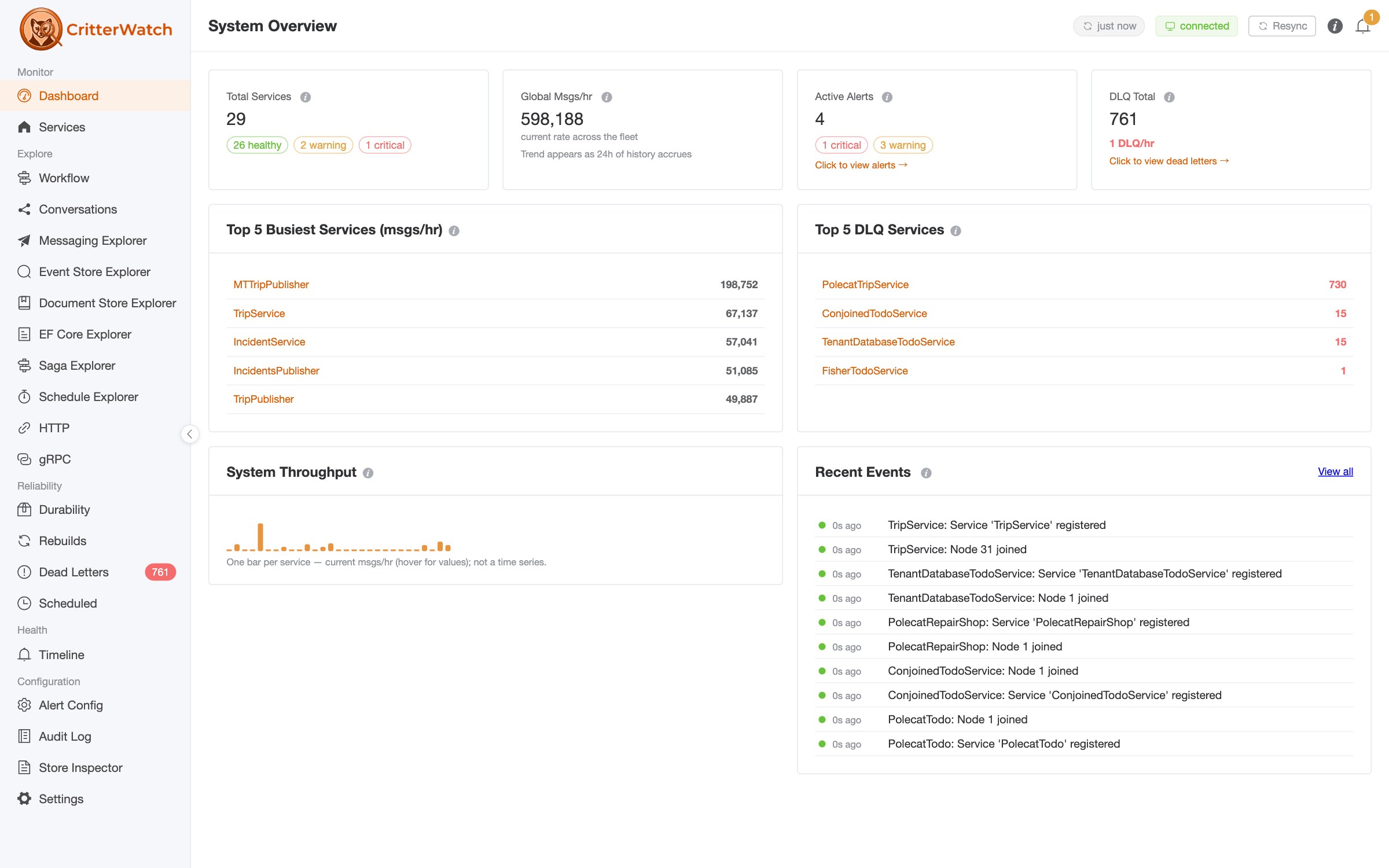
CritterWatch 1.0 shipped an MCP server with 48 tools. 1.1 has 83: 37 read tools and 46 licensed, capability-gated actions, and the gap between what a person can do from the console and what an agent can do from an MCP client is now close to zero. An agent can read the fleet's health and backlog, step a projection through its events, run a read-only SQL query against a monitored service's event store, open the Conversations graph behind a correlation id it pulled out of a log line, list and pause recurring schedules, triage and replay dead letters by failure group, and work the alerts.
I'm going to make the claim plainly, because I think it's true and I'd like to be challenged on it: CritterWatch is the most capable monitoring platform for asynchronous messaging there is in terms of AI capabilities. Not because it has a chat box bolted onto a dashboard, but because the whole control surface of the console is exposed to an agent with the same permissions, the same audit trail and the same safety rails a human operator gets:
- Every tool declares whether it only reads and whether it can destroy something. All 83 tools carry the MCP
readOnlyHintanddestructiveHintannotations, so an agent client can ask you before a destructive call instead of asking about everything or nothing. - The server asks before an irreversible tool runs. Thirteen tools whose calls cannot be undone answer their first call with a preview of what they would do and a single-use confirmation token. Nothing changes until the same call comes back with the token, so the agent sees the consequence before the call that runs is the one it previewed.
- A read-only switch.
AddCritterWatchMcp(o => o.ReadOnly = true)leaves only the 37 read tools registered, so an agent can investigate all day and cannot act. - The audit log says how each action arrived. Every row now names its channel: Console, MCP (with the client the request named), or System. An MCP action is recognized by a relay ticket a monitored service cannot forge.
- Every tool's input schema is portable. The schemas now emit the subset that MCP Inspector, OpenAI strict function calling and Gemini all accept, which is the difference between the MCP surface working with a given client and not.
- Conversations for agents.
list_conversationsandget_conversationhand an agent the same causal "why" graph and "when" timeline the Conversations screen draws, with edges marked as observed or inferred and a message that failed and later succeeded reported as recovered rather than failed.
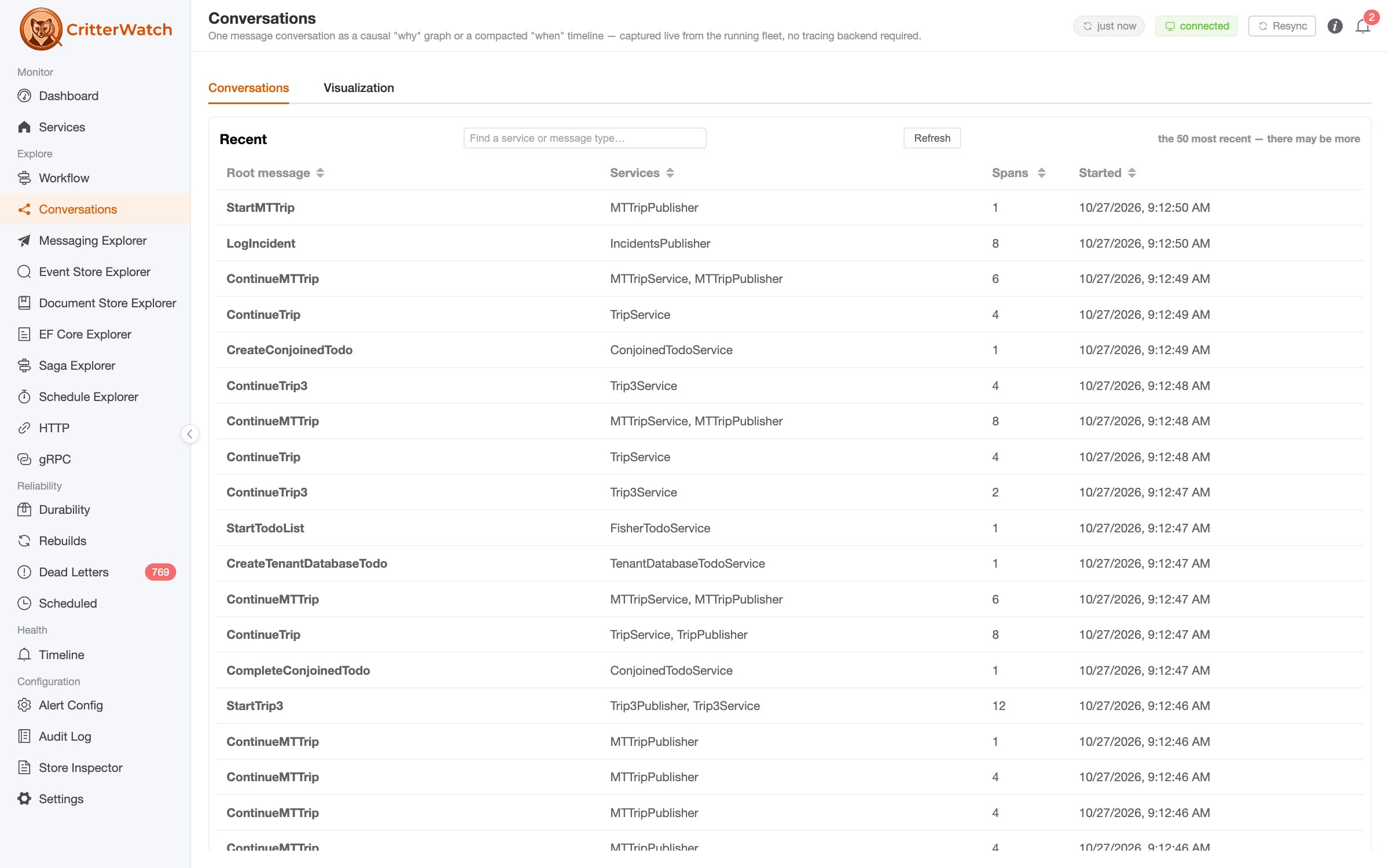
There's also an opt-in alert triage by a language model. Alerts that fire together are already coalesced into one batch, and that batch can now be handed to whatever Microsoft.Extensions.AI provider you register, which writes a short assessment of what is probably going on and marks the remediation buttons the console already offers. Nothing it says is executed, and nothing it says grants anything, which is the only way I was willing to ship it.
The AI Skills below are the other half of this. The MCP tools expose the live system; the skills teach the agent how to reason about what it sees. See MCP in the CritterWatch docs for the whole tool list.
Cron schedules, on a screen you can pause from
Wolverine 6.34 can run a message on a cron schedule with one line of registration, opts.Schedules.ScheduleRecurring<NightlyRollup>("0 2 * * *"), and CritterWatch 1.1 is the console for it. A fleet-wide Schedule Explorer lists every recurring schedule across every monitored service: its cron expression, time zone, the message it publishes, when it fires next and when it last fired. You can pause and resume a schedule from the console, with separate permissions for each because stopping production work and restoring it are not equally consequential, and an agent can do the same through list_recurring_schedules, pause_recurring_schedule and resume_recurring_schedule.
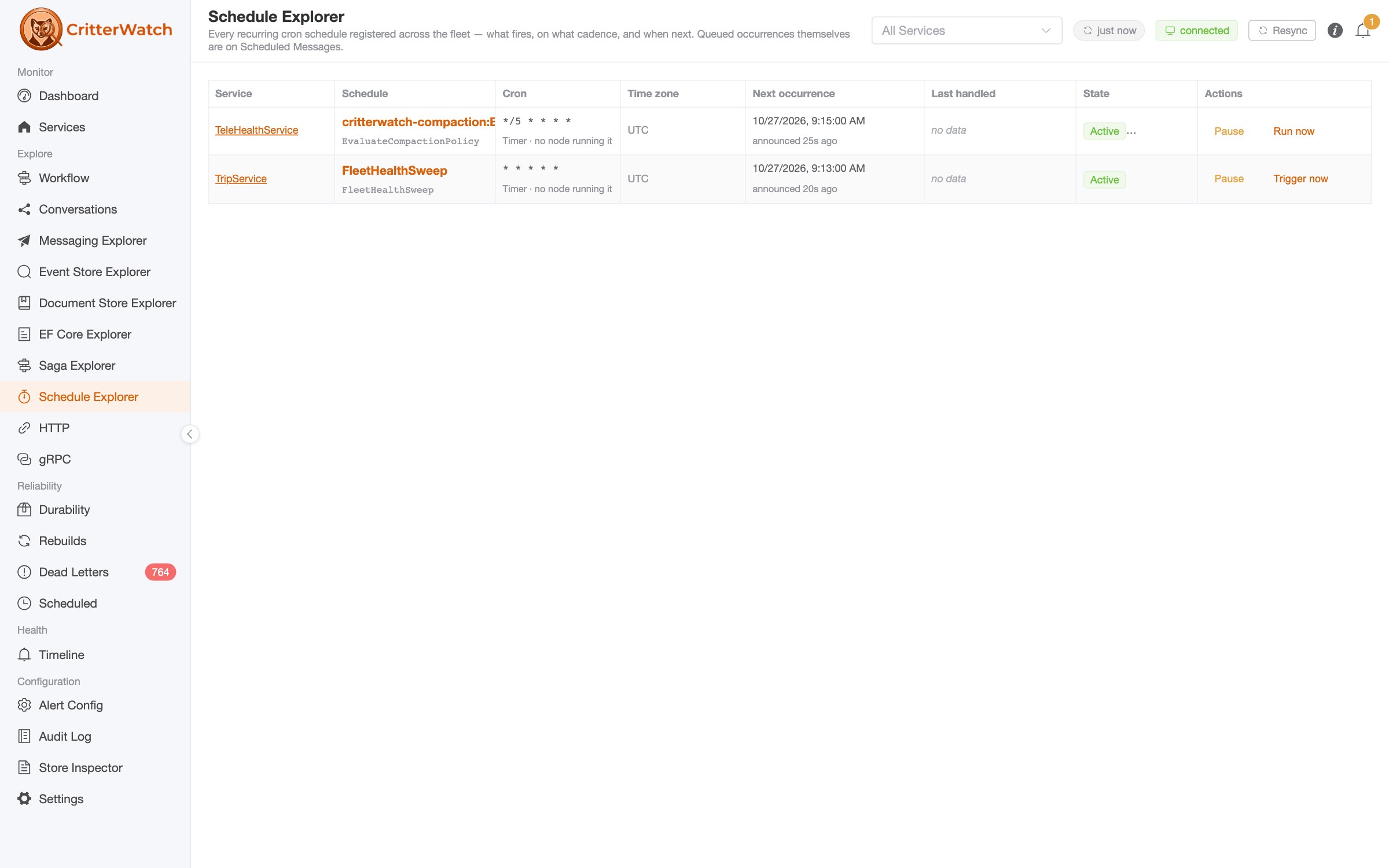
Stream compaction rides the same machinery: declare a compaction policy on the monitored service, and the console shows what is declared, what each run did, and whether a run was a dry run that changed nothing.
The Document Explorer
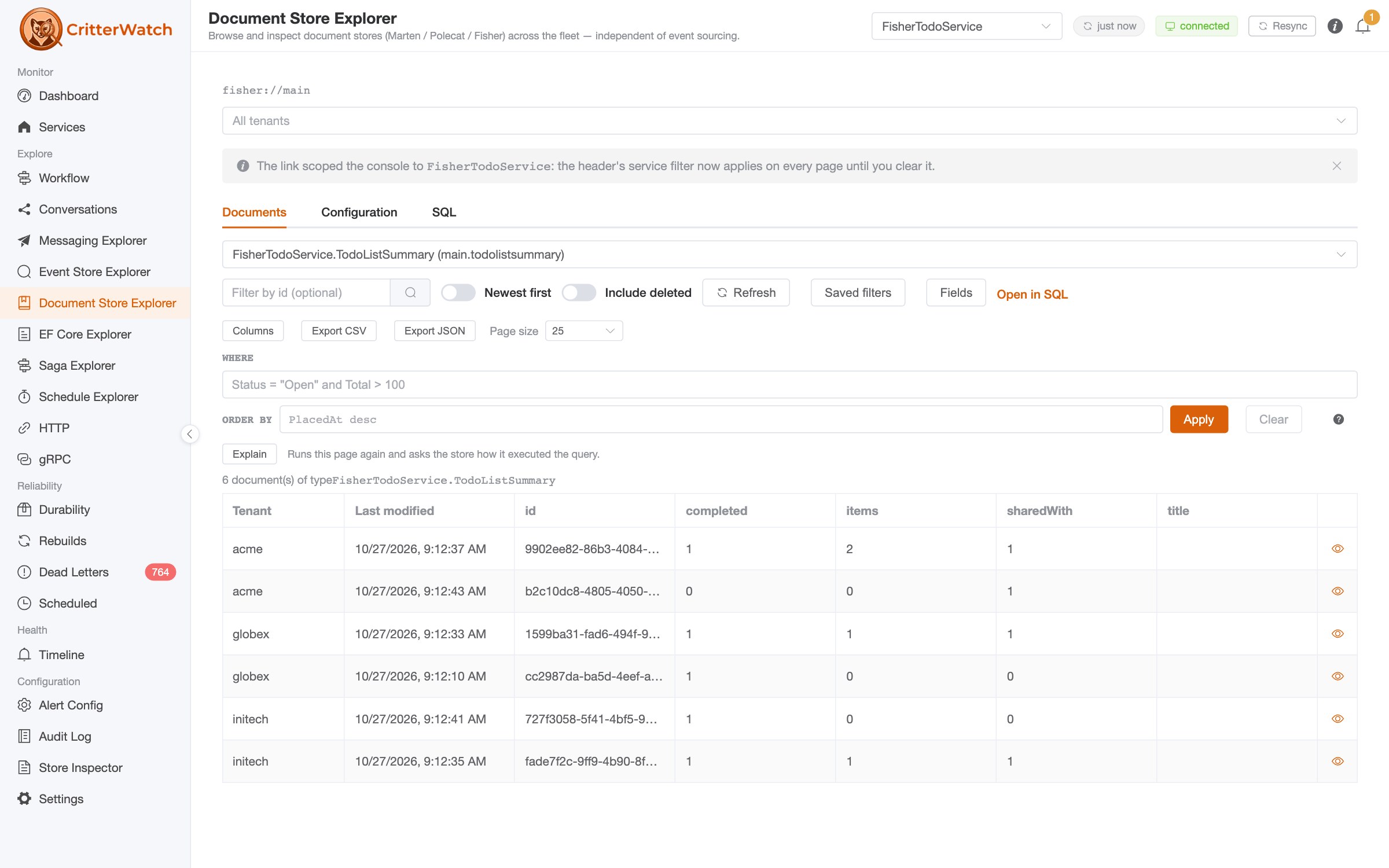
The Event Store Explorer from 1.0 now has a sibling for the document side of Marten, Polecat and Fisher. The Document Explorer browses every document type a monitored service's stores know about, filters with the store's own predicate language, samples what's actually in the documents under the current filter, estimates whether a filter will use an index, and (behind a capability, with a preview step and a full audit trail) lets you edit, soft-delete and restore a document in place. There's a Copy as C# for the type, saved filters that the console remembers for you, and a SQL view for the join or the GROUP BY the structured filters can't express. That SQL runs on the monitored service, on its own connection, read-only, allow-listed to the tables the store declares, and every run is audited.
Earning the scalability the hard way
Can you say "scar tissue?"
CritterWatch got beaten up quite a bit by an early adopter applying it to a massive system, and we had to make a lot of adjustments. The numbers come straight from the release notes based on this experience:
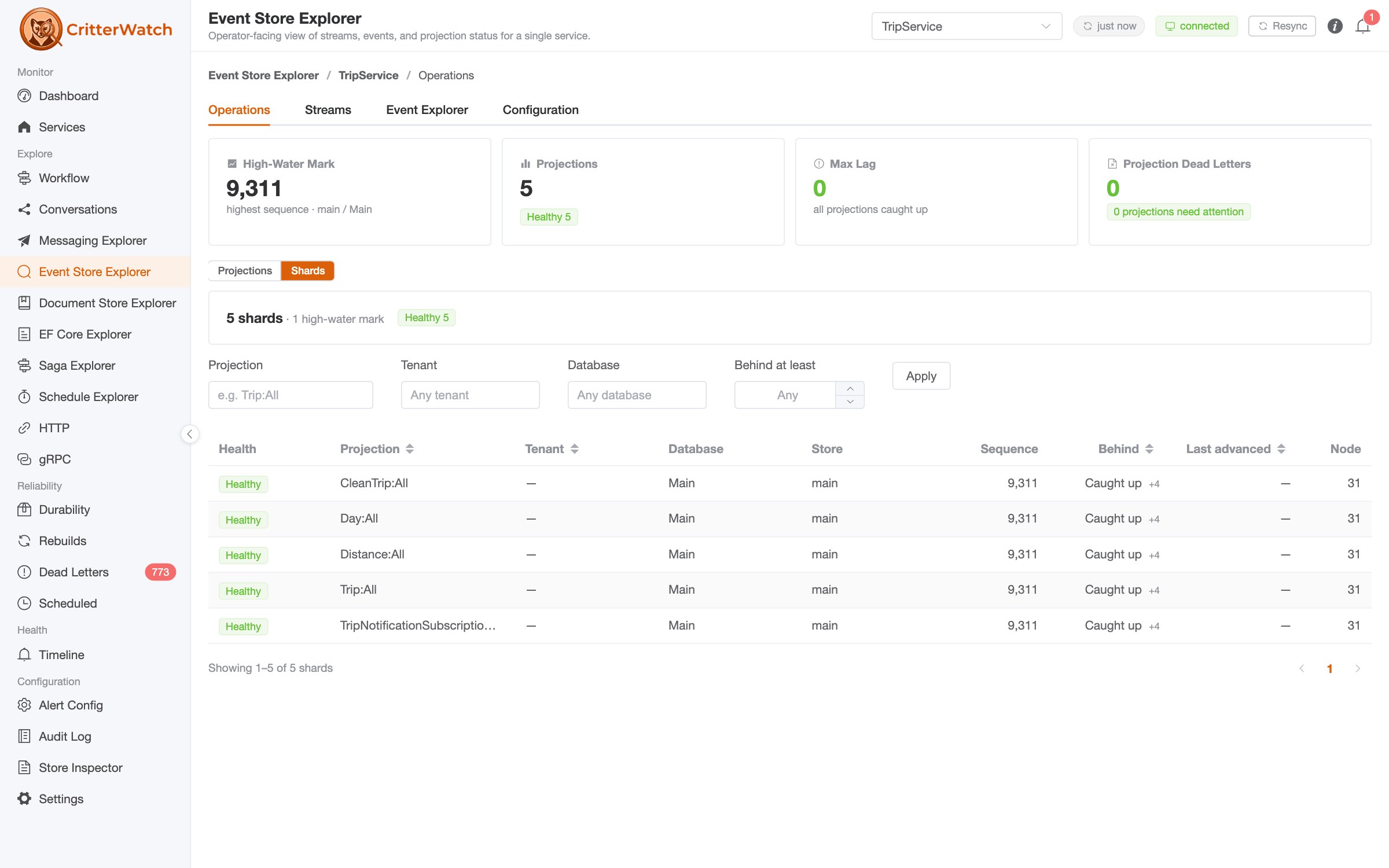
- Connecting to the console used to ship 13.7 MB of shard state to every browser tab, rebuilt client-side into three indexes costing 148.9 MB of heap. Shard progression is queried server-side now, paged and filtered.
- The Operations tab spent 42 to 63 seconds in a single task on a 512-database store. It computes its tiles server-side and no longer blocks the browser.
- Four projection-health signals were sampling one shard out of 512. A paused shard in a sharded fleet rendered "Healthy · Up to date". Alerts that went quiet exactly where they mattered, on shards whose lag couldn't be computed, now raise.
- Per-tenant metric roll-ups were being broadcast to every tab every 30 seconds, 2,173 rows per tick on one fleet. They're requested on demand.
- Agent state was republished when nothing had changed, 2.76 MB every 30 seconds. It isn't.
- Per-tenant alerting works above 25 tenants, total backlog is a real number (summing per-shard gaps was wrong by 3.3x), and a shard that two processes both believe they own reports as Conflicted rather than Paused, which was the one verdict that sent an operator to a Restart button that could not work.
Honestly, none of this would have been found without the early users who ran the console against systems far larger than anything we could stand up ourselves, and I'm grateful for every one of those reports.
And the rest of it
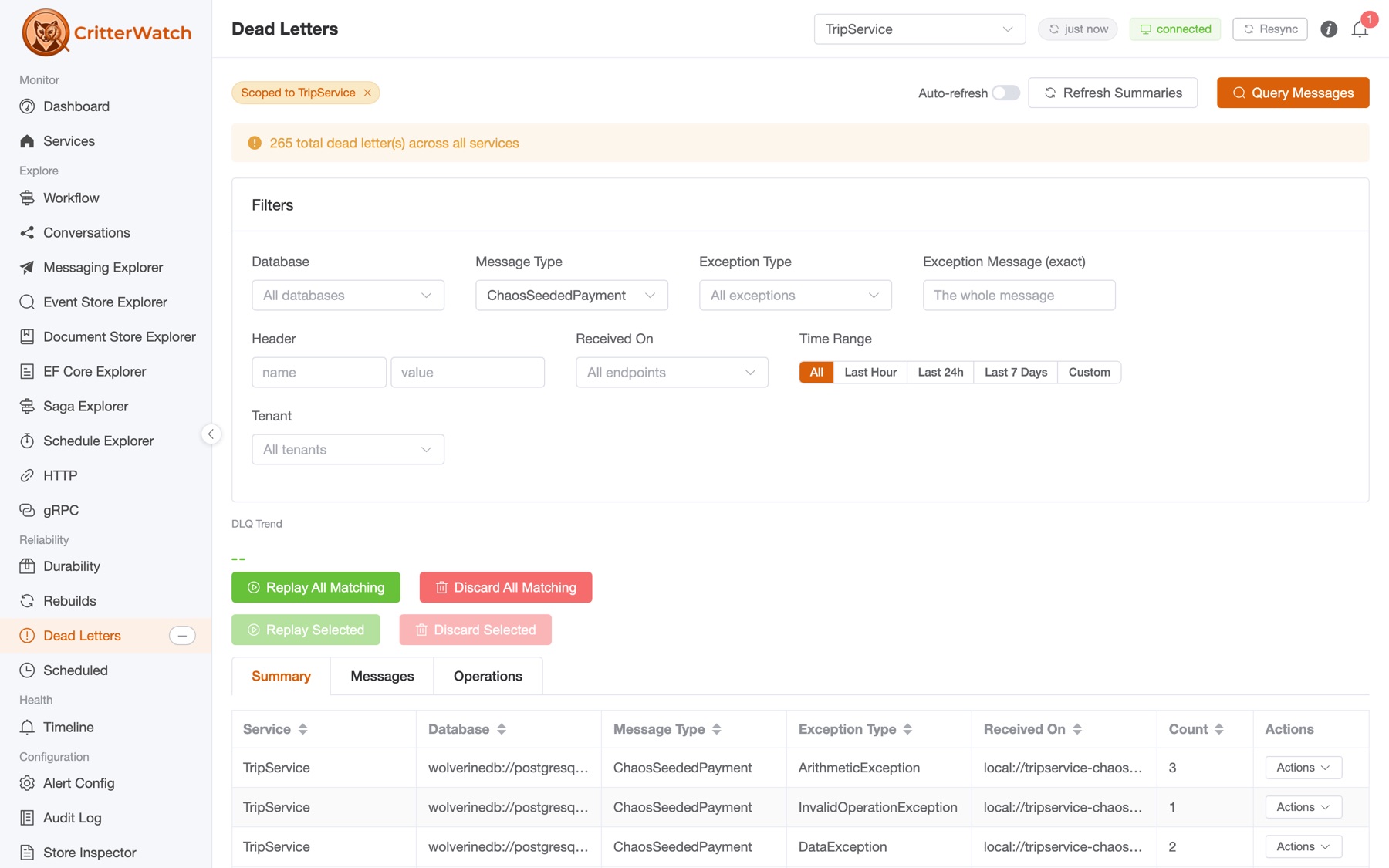
I've already written about two of the bigger pieces of 1.1 on their own, so I'll just point at them: dead letter management, which in the final release grew into fleet-wide failure groups that you can replay, archive, restore, discard or cancel as a unit, and embedded mode, which mounts the console inside the application it monitors with no second deployment. Beyond those:
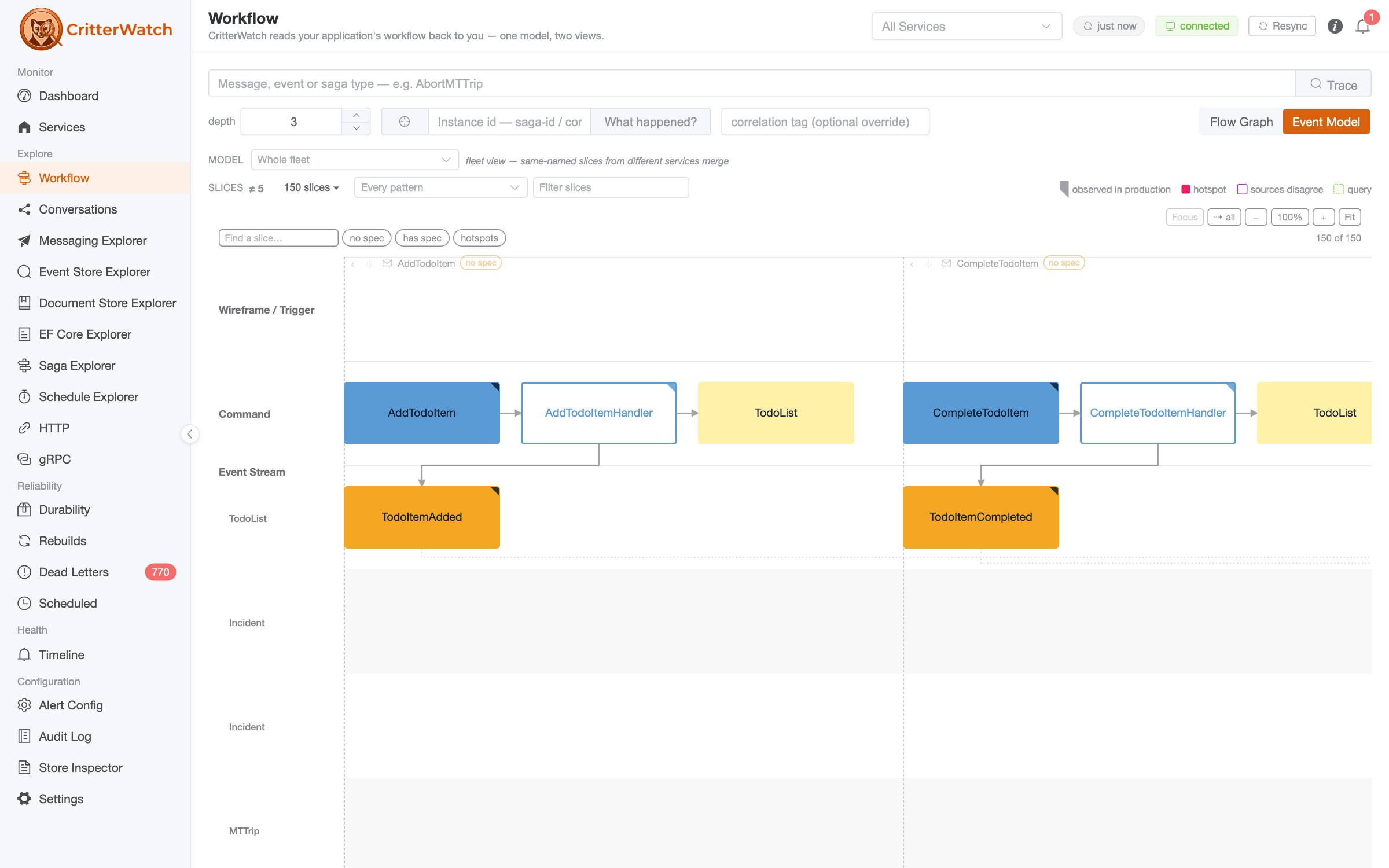
- The Event Model is a live screen. The console renders the Event Model of the system you actually shipped, from the running code, merges same-named slices across services into one fleet view, and marks the slices where the structural model and the runtime's observations disagree rather than quietly picking one.
- Restart a stuck high water loop without moving the mark, and rewind every tenant of a partitioned store.
- Per-tenant subscription lag, and sharper questions of the event store: several event types at once, timestamp and sequence windows, counts over a window, DCB tags combined with all of it, on all three stores.
- A broker-less HTTP or gRPC channel between a monitored service and the console for the plain web services that don't run a broker. The HTTP channel is new in the final 1.1.0 and tested end to end, which is more than I could say about it a week ago.
- Slack notifications that actually fire from a standalone console (they did not, which was embarrassing), and Alert Configuration's history tab that actually records a change.
- Every screen says how old it is, and the About dialog tells you when a newer CritterWatch is on NuGet.
Getting CritterWatch 1.1
The console ships as three interchangeable packages, one per store, and you install exactly one:
| Package | Store |
|---|---|
CritterWatch | Marten / PostgreSQL |
CritterWatch.SqlServer | Polecat / SQL Server |
CritterWatch.Sqlite | Fisher / SQLite, no database server at all |
plus Wolverine.CritterWatch in each monitored service. 1.1 is built on Wolverine 6.56, JasperFx 2.96, Marten 9.54, Polecat 5.46 and Fisher 1.24. If you are moving a running console, read the upgrade notes first; the rc.3 to 1.1.0 step adds three capabilities and two console tables.
Read-only monitoring of up to three services needs no license. A commercial license unlocks the parts that do things, every operator action, alerting, audit logs, multi-tenancy and the entire MCP server. Tiers and pricing are on the CritterWatch plans section of our products page, with a buy link on each, and every JasperFX support plan offers CritterWatch as an add-on. If you'd rather try before you buy, ask us for a trial license.
Bobcat 1.0
A few of you might remember Storyteller, the executable specification tool I worked on through most of the 2010s, which was in turn heavily influenced by FitNesse. Bobcat is the successor to Storyteller
Bobcat is built for the hardest integration testing jobs in .NET: systems with databases, message brokers, background processing and many moving parts. Bobcat 1.0.0 is the first stable release, it is MIT licensed, and we have already been using it for a couple of months to make our own CI builds and local gates faster and more trustworthy. I wrote about the testing strategy it carries in Succeeding with Test Automation using Bobcat; and the 1.0 release gives you an indication from us that we're ready to support other people using Bobcat.
Unlike Cucumber/Gherkin, FitNesse/FIT, and my own foray into Storyteller from years ago, Bobcat very purposely tries to optimize for the ease of test authoring by developers or test automation engineers. Bobcat is trying hard to make sure these specifications can be human readable for effective collaboration with domain experts, but it's purposely eschewing any kind of external DSL binding like Gherkin tools do today
Bobcat is our answer for spec-driven development. The twist, and the lesson from Storyteller, is that there is no second file and no binding layer. The test is the specification. You write ordinary xUnit, TUnit, NUnit or MSTest tests, you name the steps with [Given], [When] and [Then] attributes on plain methods, and a Roslyn source generator turns those calls into recorded steps at compile time so that readable specifications are projected out of the tests you already have. Wrongs are gathered rather than thrown, so a spec shows every disagreement and fails once at the end. Here is the whole getting-started example:
public class CalculatorSteps
{
    private readonly Calculator _calculator = new();

    [Given("Start with {value}")]
    internal void StartWith(double value) => _calculator.Value = value;

    [When("Multiply by {value}")]
    internal void MultiplyBy(double value) => _calculator.MultiplyBy(value);

    [Then("The value should be {value}")]
    internal void TheValueShouldBe(double value) => SpecAssert.Check("value", _calculator.Value, value);
}

[BobcatFeature("Calculator, getting started")]
public class GettingStartedSpecs
{
    private readonly CalculatorSteps _calculator = new();

    [Fact]
    public void using_sentences()
    {
        _calculator.StartWith(3);
        _calculator.MultiplyBy(2);
        _calculator.TheValueShouldBe(6);
    }
}
That is Storyteller's own first example, recreated as a projected test, and it shows up in dotnet test, your IDE's Test Explorer and CI like any other test, because it is one.
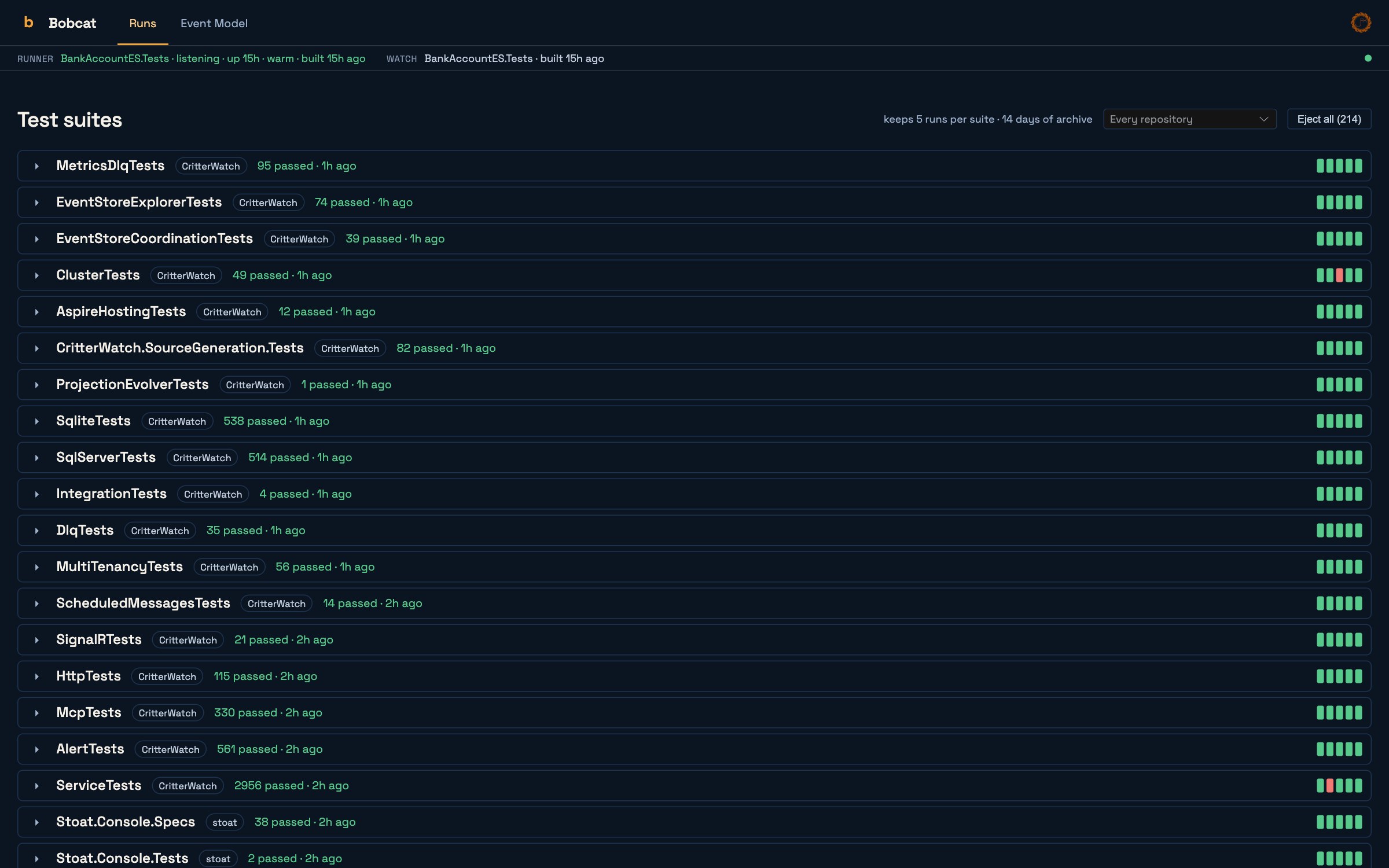
The other half of Bobcat is the supervisor, which splits a suite across worker processes, isolates resources per lane, retries within an explicit budget, and reports flakiness honestly: a pass on retry is never folded into a clean pass. The bobcat tool runs, previews, watches and keeps a suite resident so a console (or an agent) can re-run one slice at a time, and bobcat ui serves a run board and an Event Model canvas.
Where Bobcat meets Event Modeling is about strategic positioning of the Critter Stack for our new AI-centric world and deserves a lot more writing and video content soon. bobcat import-event-model takes a model from a tool like eventmodelers.ai and turns it into C# stubs and an EventModelDefinition; the WolverineFx.Bobcat vocabulary (GivenEvents, WhenReceived, ThenEvents, ThenMessageSent) lets you write a specification per slice; Wolverine scaffolds the handlers and HTTP endpoints those specifications describe; and then a human or an agent works through the slices with the specs as the acceptance criteria. The Event Model canvas in bobcat ui uses the same renderer CritterWatch uses, so a model looks the same on both, and CritterWatch's Event Model screen draws a dot on each slice from the spec run evidence: green when every bound spec passed, red when one failed, a hollow ring when a slice has no specification bound to it at all. Absence drawn as absence.
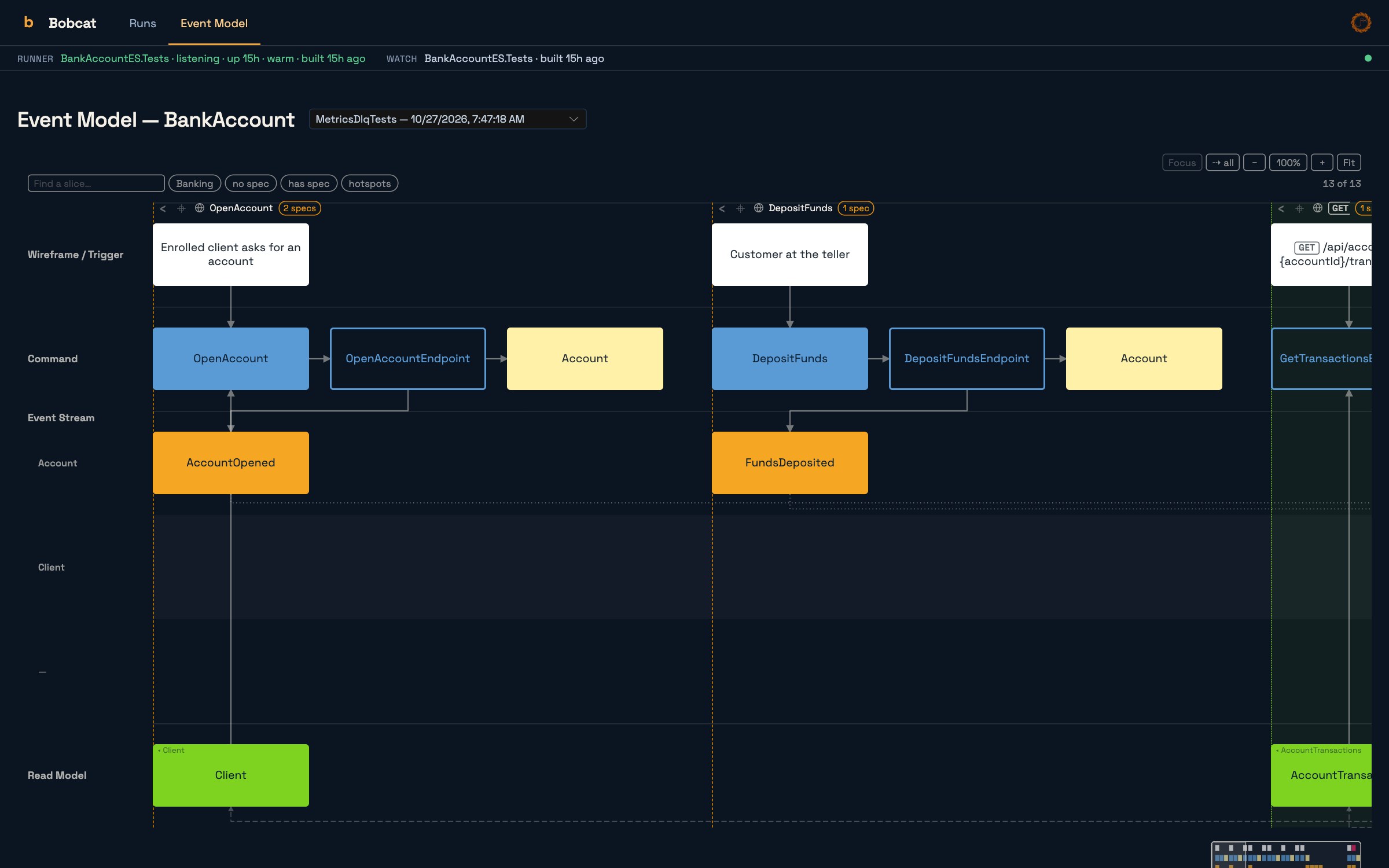
Bobcat's core takes no dependency on Wolverine or JasperFx, so Bobcat is perfectly usable outside the Critter Stack. The packages are Bobcat, Bobcat.Generators and one of Bobcat.Xunit / Bobcat.TUnit / Bobcat.NUnit / Bobcat.MSTest, with WolverineFx.Bobcat for the Critter Stack vocabulary, and dotnet tool install -g Bobcat.Console for the tool. Documentation is at bobcat.jasperfx.net, and the Wolverine side of the story is in Testing with Bobcat and the Event Modeling tutorial.
Critter Stack AI Skills 1.17
The AI Skills are a curated set of 126 skills, in the agentskills.io format, that teach a coding agent the conventions and idioms of the Critter Stack: how a Wolverine handler is discovered, what an async projection daemon is, why that exception has that stack trace, and in this release, how to work a CritterWatch console. The rule we hold ourselves to is that every change to CritterWatch's MCP surface ships with a paired skill update, and 1.17 is that update for 1.1, plus a review of every skill against what the whole stack shipped this month:
- A new conversations skill for
list_conversationsandget_conversation, including what an observed versus an inferred edge means and that a recovered hop is history rather than something to replay. - The safety rails, taught. The two-step confirmation token, read-only mode and the audit channels, so an agent knows to repeat an identical call with the token rather than improvising.
- Dead letter failure groups, the Document Explorer's write tools with their dry-run preview, the high water mark tools, LLM alert triage setup, and timer schedules.
- Setup brought up to the 1.1 line, including the new
CritterWatch.Aspirepackage andWithCritterWatchMcp(readOnly:). - Updates for Bobcat 1.0 and Stoat 0.5, with spec authoring, specs-from-model and code-from-specs skills for the Event Modeling workflow.
The skills install with the AgentSkills CLI into Claude Code, Cursor, Copilot, Codex and any other conformant client:
dotnet tool install --global agentskills-cli
agentskills-cli add JasperFx.AiSkills -g -a universal -a claude-code -y
They are commercially licensed, with annual tiers by team size on the AI Skills section of our products page, and bundled into the JasperFX support plans.
Stoat, a first public preview

We're not sure what the licensing is going to be yet for Stoat, but right now we're leaning toward making local usage free, but a later shared team server version requiring licensing shared with CritterWatch
Stoat is the newest critter and the one that has been hardest to explain, so let me try. CritterWatch is the running system. Bobcat is the specification format and the test run. Stoat is the work, the agents doing it, and the evidence that closes it. It is a server, not a library: a planning and progress surface for AI-agent-driven development across repositories, where a plan is a dependency graph whose nodes are GitHub issues and pull requests, NuGet publishes, package pins, test-run gates and Event Modeling slices, and where readiness is derived from observed facts rather than asserted by anyone. An issue that is actually closed. A package version that is actually downloadable. A Bobcat run that is actually green. Nobody maintains a status column.
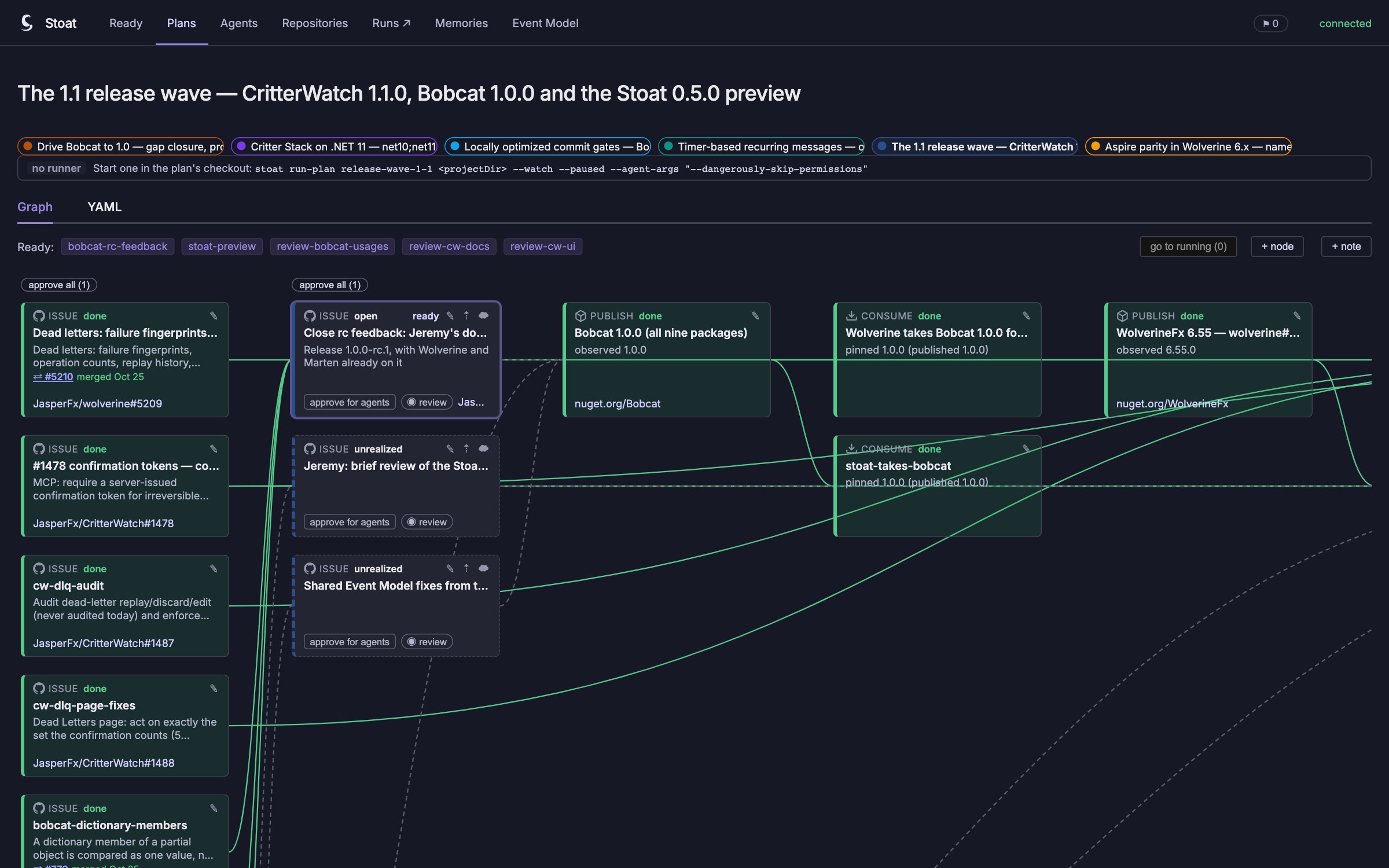
Agents talk to it over MCP: they recall memories that outlive a session, ask for the next ready nodes, claim one, report it, and park on a dependency or a package version instead of polling. When a decision is a human's, they ask a person. We've been running this release wave through Stoat ourselves, which is where the screenshot above came from, and it is fair to say the tool has been shaped more by that dogfooding than by any design document.
This is a preview release, and I want to be plain about what that means. 0.5.0 is the first published version, the number matches CritterWatch's first commercial release rather than Stoat's own maturity, and surfaces will change before 1.0. What I can promise is that Stoat is going to advance much faster now that it is public than it did while we were keeping it quiet, because the whole point of it is to be used on real work and we'd like yours.
dotnet tool install -g Stoat
stoat setup      # the MCP server in .mcp.json, the session hooks in your Claude Code settings
stoat            # the server: UI, API and MCP on http://localhost:5526
Documentation is at stoat.jasperfx.net.
Where this is going
I'm old enough to have watched a few "the whole platform in one box" stories fall over, so I'll be careful about how I put this. What I think we have now is the full loop. You model the system with Event Modeling. Bobcat turns the model into specifications and the specifications into the acceptance criteria for each slice. Wolverine, Marten, Polecat and Fisher are what you build the slices with, the AI Skills teach your agent how, and Stoat keeps the agents, the plan and the evidence honest while it happens. Then CritterWatch watches the thing you shipped, and hands the same agent the controls when something goes wrong at 2 AM. No other stack on .NET covers that whole loop today, and that is the basis for the claim I made at the top of this post.
The next few weeks will be all about publishing more samples and videos detailing the new functionality. After that it's Stoat hopefully getting some real-world usage, Bobcat's post-1.0 feedback, and maybe the start of the CritterWatch 1.2 milestone. As always, the fastest way to get a question in front of the people who built all of this is the Critter Stack Discord, and the public issue tracker for the commercial products is JasperFx/ProductSupport.
Thank you
A release wave this size is not a one-person job. Babu Annamalai carried a big share of the Critter Stack work and CritterWatch testing behind all of this, including the AgentSkills CLI that installs the skills. Jeffry Gonzalez helped create the original vision and foundation for CritterWatch. Anne Erdtsieck ran CritterWatch against real systems far bigger than our samples, sent back the numbers, and asked the questions that turned into a lot of what's in 1.1. And to everyone who filed issues against the release candidates and sat through the live streams: thank you. This release wave is better for it.