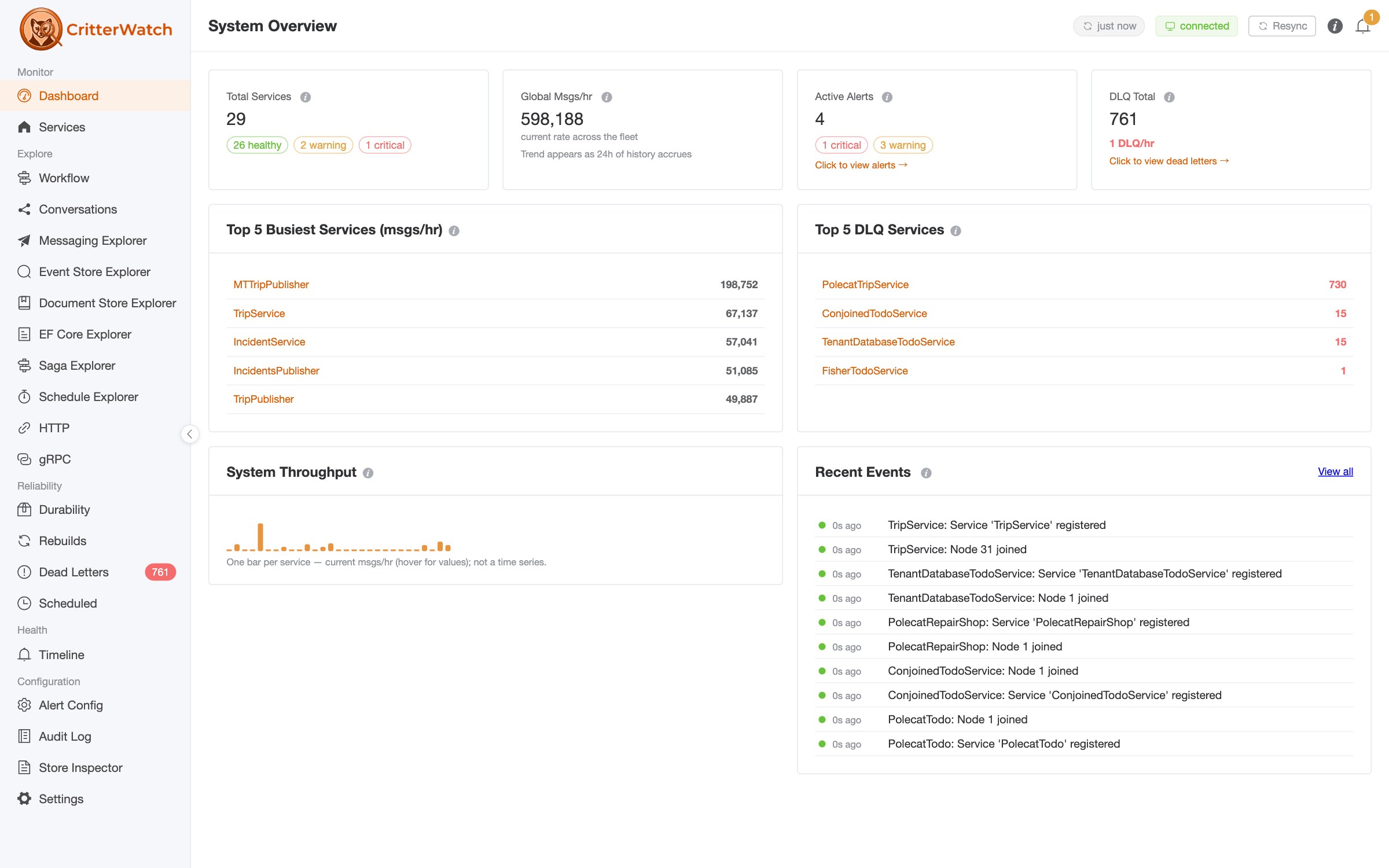
A couple of days ago I wrote up a recorded session interrogating a running system through CritterWatch's MCP server. That post was about a live fleet: 25 services chattering away, an agent asking the console what was on fire via CritterWatch's MCP support.
Today we're going to switch gears and talk strictly about what you get with nothing but a Critter Stack codebase, the command-line diagnostics that are already built into Wolverine and Marten, and the JasperFx AI Skills teaching your agent how to drive them.
Everything below is a real recorded session from this afternoon against CritterStackSamples — our public sample repository, so you can run every one of these commands yourself. I'm going to show you the prompts I typed, the commands the agent chose, and the actual output. Including the two places it went sideways, because those turned out to be the most interesting part.
We had to upgrade the Marten and Wolverine references inside CritterStackSamples for this blog post, so be sure to pull the latest if you want to try any of this out locally.
Two minutes of setup
Install the skills into your agent:
agentskills-cli add JasperFx.AiSkillsThen the part that people miss, and it's one line. Wolverine and Marten ship a pile of diagnostic commands, but they only exist if your Program.cs hands args to JasperFx's command runner:
// instead of: await app.RunAsync();
return await app.RunJasperFxCommands(args);
I helped a client with this very thing earlier this week, so let me stress the return keyword: it's what hands the true exit code back to .NET, and it's what makes CI/CD processes fail when they should!
That's it. Now dotnet run -- help lists what you've got:
  codegen                 Preview or write the runtime code generation
  db-apply                Applies all outstanding changes to the database
  describe                Writes out a description of your running application
  event-model             Write the application's Event Model as JSON, without a running fleet
  openapi                 Generate the OpenAPI document without starting the host
  projection-run          Replay a projection over a stream, stream slice, or tag query
  projections             Asynchronous projection and projection rebuilds
  resources               Check, setup, or teardown stateful resources of this system
  storage                 Administer the Wolverine message storage
  wolverine-diagnostics   Wolverine diagnostics tools for inspecting generated code and runtime behavior
Most of these need no database and no broker. They build your application's configuration and describe it back to you, which is exactly the raw material an agent needs.
"Tell me everything about BookShipment"
The first sample is ShipmentTracking — a Wolverine service converted from NServiceBus, publishing over RabbitMQ, with three listener endpoints deliberately configured three different ways.
Me: Tell me everything about the
BookShipmentmessage type in this application. Where does it go, who handles it, and how is it delivered?
The agent went straight for the right command — and this is the first thing the skills buy you, because there are a lot of Critter Stack CLI commands, and only one of them answers this:
dotnet run -- wolverine-diagnostics describe-routing "ShipmentTracking.Messages.BookShipment"Message Type: ShipmentTracking.Messages.BookShipment
Assembly: ShipmentTracking
Namespace: ShipmentTracking.Messages
Local Handler:
ShipmentTracking.Handlers.BookShipmentHandler.Handle
Routes:
┌────────────────┬──────────┬────────┬────────┬────────────────┬───────────────┐
│ Destination │ Type │ Mode │ Outbox │ Serializer │ Resolution │
├────────────────┼──────────┼────────┼────────┼────────────────┼───────────────┤
│ rabbitmq://que │ External │ Inline │ No │ application/js │ Explicit │
│ ue/shipment-co │ │ │ │ on │ publish rule │
│ mmands │ │ │ │ │ │
└────────────────┴──────────┴────────┴────────┴────────────────┴───────────────┘Agent:
BookShipmenthas a local handler (BookShipmentHandler.Handle) and one external route to the RabbitMQ queueshipment-commands, resolved by an explicit publish rule rather than a convention. The route is Inline mode with no outbox, serialized as JSON.
That's a good answer to the question I asked. But look at that Outbox column, because it's about to answer a question I didn't ask.
"Why isn't the transactional outbox working for BookShipment?"
This is the question I really wanted to test, because it's the one I get asked. Somebody wires up Marten, calls IntegrateWithWolverine(), sees the outbox tables get created, and then finds messages going out that should have been held back.
Me: The app calls
IntegrateWithWolverine()and the README saysshipment-commandsis a durable endpoint. Butdescribe-routingsays the route forBookShipmenthas no outbox. Which is right, and why?
The agent read the configuration and came back with something I had genuinely not noticed about our own sample:
// line 95 — the SENDER
opts.PublishMessage<BookShipment>().ToRabbitQueue("shipment-commands");

// line 153 — the LISTENER
opts.ListenToRabbitQueue("shipment-commands")
    .UseDurableInbox();
Agent: Both are right, and they are describing different things.
ListenToRabbitQueue(...).UseDurableInbox()configures the listener — messages arriving on that queue are written to the inbox before the handler runs.PublishMessage<BookShipment>().ToRabbitQueue(...)configures the sender, and it carries noUseDurableOutbox(). The queue name is the same, so it reads as one durable endpoint, but inbound durability and outbound durability are separate opt-ins.Outbox: Noon the route is the outbound half, and it is accurate.
That is a really easy mistake to make, and I want to be clear that it's in our own sample, written by us, reviewed by us, with a README that confidently describes the endpoint as durable. The queue name being identical on both sides is exactly what makes it invisible in a code review.
It is not invisible in a table with a column that says Outbox: No.
"What's actually durable in this application?"
Me: Forget what the README claims. What does this application actually do at runtime — every listener, every mode, every sender?
dotnet run -- wolverine-diagnostics describe-routing --allListeners
┌────────────────────────┬───────────────────┬──────────────────┬──────────────┐
│ URI │ Name │ Mode │ Parallelism │
├────────────────────────┼───────────────────┼──────────────────┼──────────────┤
│ local://durable/ │ durable │ Durable │ 18 │
│ local://scheduled/ │ scheduled │ Durable │ 18 │
│ rabbitmq://queue/carri │ carrier-events1 │ NativeAck │ 18 │
│ er-events1 │ │ │ │
│ … │ carrier-events2-5 │ NativeAck │ 18 │
│ rabbitmq://queue/label │ label-generation │ Inline │ n/a (Inline) │
│ -generation │ │ │ │
│ rabbitmq://queue/shipm │ shipment-commands │ Inline │ n/a (Inline) │
│ ent-commands │ │ │ │
└────────────────────────┴───────────────────┴──────────────────┴──────────────┘
Unrouted Message Types (no destinations)
ShipmentTracking.Messages.DeliverySlaExpired
ShipmentTracking.Messages.LabelGenerated
ShipmentTracking.Messages.ShipmentBooked
ShipmentTracking.Messages.ShipmentCancelled
ShipmentTracking.Messages.ShipmentDeliveredTwo things worth pulling out of that.
First, the Unrouted Message Types list. Those five are all events that are handled locally and never published anywhere — which is correct for this app, and would be a five-alarm fire in an app where somebody expected a subscriber. This is the single fastest way I know to answer "why isn't the other service getting my event," and it takes no broker and no running system to ask.
Second — and I'll be straight with you — the carrier-events sharding shows up exactly as designed, but the modes reported for label-generation and shipment-commands are not what the sample's own README says they are. I have not fully run that one to ground yet, and I'd rather tell you that than hand-wave it. It is on my list. That is what happens when you point a tool like this at a codebase honestly instead of building a demo that only asks flattering questions.
The one I actually wanted: stepping through a broken projection
This is brand spanking new as of today, and will require you to be up to at least Marten 9.31.1 or Polecat 5.22, with Fisher support coming very soon.
Here's the new toy, and the reason for a lot of the work we've done this week. There's a new projection-run command in JasperFx.Events as of 2.61.0 that replays a projection over a stream — or a slice of a stream, or a DCB tag query — and shows you the projected state after every single event. Nothing is written. It never touches your stored data.
The second sample is BankAccountES, event sourcing from scratch with Marten. An account gets opened, two deposits, one withdrawal. The balance should be 500 + 250 − 100 = 650.
For this demo I introduced a bug on purpose — the kind somebody writes while "modernizing" an aggregate to look more event-sourced:
public void Apply(FundsWithdrawn e)
{
    Balance += e.Amount;      // was: Balance = e.NewBalance;
}
Nothing throws. No projection errors. No alert fires anywhere. The balance is just wrong, quietly, in a bank account.
Me: The
Accountprojection for streamaaaa1111-…shows a balance of 850 and it should be 650. Find the bug.
dotnet run -- projection-run Account --stream aaaa1111-2222-3333-4444-555555555555 step 1 account_opened balance after = 0
step 2 funds_deposited balance after = 500
step 3 funds_deposited balance after = 750
step 4 funds_withdrawn balance after = 850
FINAL balance = 850Agent: Step 4 is the bug. A
funds_withdrawnevent of 100 raised the balance from 750 to 850 rather than lowering it to 650 — the withdrawal is being added. The two deposits are correct, so the fault is isolated toApply(FundsWithdrawn), which usesBalance += e.Amountwhere the deposit path and the event's ownNewBalancefield both indicate the balance should be assigned, not accumulated.
I want to dwell on how little the agent needed to know to do that. It did not need to understand banking. It did not read the aggregate first. A withdrawal made the number go up, and that is visible in one column of one table because the tool prints the state after each event rather than only at the end. The technique the skill teaches is a single sentence — find the first step where the state stops being what you expected — and that step names the Apply method.
Fix it back to Balance = e.NewBalance, re-run, 650.
--json gives you all of that as a machine-readable report with before/after/elapsedMs per step, which is the shape you want when the agent is doing the reading rather than you.
The parts that went wrong
I promised the bumps, and they're genuinely the most useful part of this post.
The sample crashed the routing command. ShipmentTracking was pinned to Wolverine 6.30.0, and describe-routing --all blew up with a NullReferenceException deep inside GlobalPartitionedRoute.Describe(). That's wolverine#4132 — a real bug, in a released version, fixed in 6.30.1. The agent knew it was a known issue and told me to bump rather than sending me off to debug our own diagnostics. That specific piece of knowledge is in the skills because we put it there, after finding it the hard way.
projection-run told me my schema wasn't migrated. The command builds your host but deliberately does not start it, so nothing that normally migrates on startup has run. Instead of a raw relation does not exist from Postgres, you get:
This application's storage is not ready — 'resources check' fails for:
WeaselDatabase 'Main', Wolverine 'Envelope Storage'.

projection-run does not migrate anything itself, deliberately: a read-only
diagnostic that quietly changes a database is worse than one that fails.

  dotnet run -- resources setup
  dotnet run -- db-apply
A read-only diagnostic should never silently write to your database, and it should never leave you guessing why it failed. Both halves of that are deliberate.
And one genuine gap. The replay resolves stored events by their type name, and registering a projection does not register its event types. BankAccountES needed an explicit opts.Events.AddEventTypes([...]) before projection-run could resolve account_opened. We found that by running it on a real sample rather than by reading the code, which is rather the point.
What the skills are actually doing here
You could run every command in this post yourself. They're all documented. So what am I selling?
The honest answer is judgment about which question to ask, and what the answer means. Look back at the outbox section. The command was easy. Knowing that Outbox: No on a route is the outbound half of a durability story that has two independent halves — and that a matching queue name on the inbound side is exactly what disguises it — is the part that turned a table into a diagnosis.
That's what a skill is: the accumulated "here's what this actually means, here's the trap, here's what to check next" that otherwise lives in the heads of the people who built the thing. We've now got 102 of them covering Wolverine, Marten, Polecat, Fisher, CritterWatch, and the CLI diagnostics — including a new one specifically about troubleshooting projections, written by running the workflow in this post against a real broken projection.
Getting them
The AI Skills are available standalone or bundled with CritterWatch:
- Solo — $250, for individual developers
- Team — $1,000, for teams under 10 developers
- Team (Large) — $2,000, for teams of 10 or more
All the plans and what's in them are on the products page, the catalog is browsable at ai-skills.jasperfx.net, and they're bundled with CritterWatch Professional and Enterprise.
The samples are all public at CritterStackSamples — clone it, wire up RunJasperFxCommands(args), and start asking your own application questions.