

"Alba" is named after the tiny town of Alba, MO and means "dawn" in Spanish or Latin
Alba is the oldest project in the Critter Stack (it predates the current "critter" naming scheme) and probably deserves more attention. Alba scenarios are how we test Wolverine.HTTP, CritterWatch, and Stoat. Alba is also what WolverineFx.Bobcat.Http is built on. It's been Jaedyn's project for a long while now and I'm very impressed with what he's done for this next big 9.0 release. Alba 9.0.0 RC3, out on October 25th, is the last release candidate before 9.0 goes stable. The full v9 changelog is long and worth reading top to bottom if you're upgrading. Jaedyn also rebuilt the docs site for 9.0, and the front page summarizes what Alba gives you:
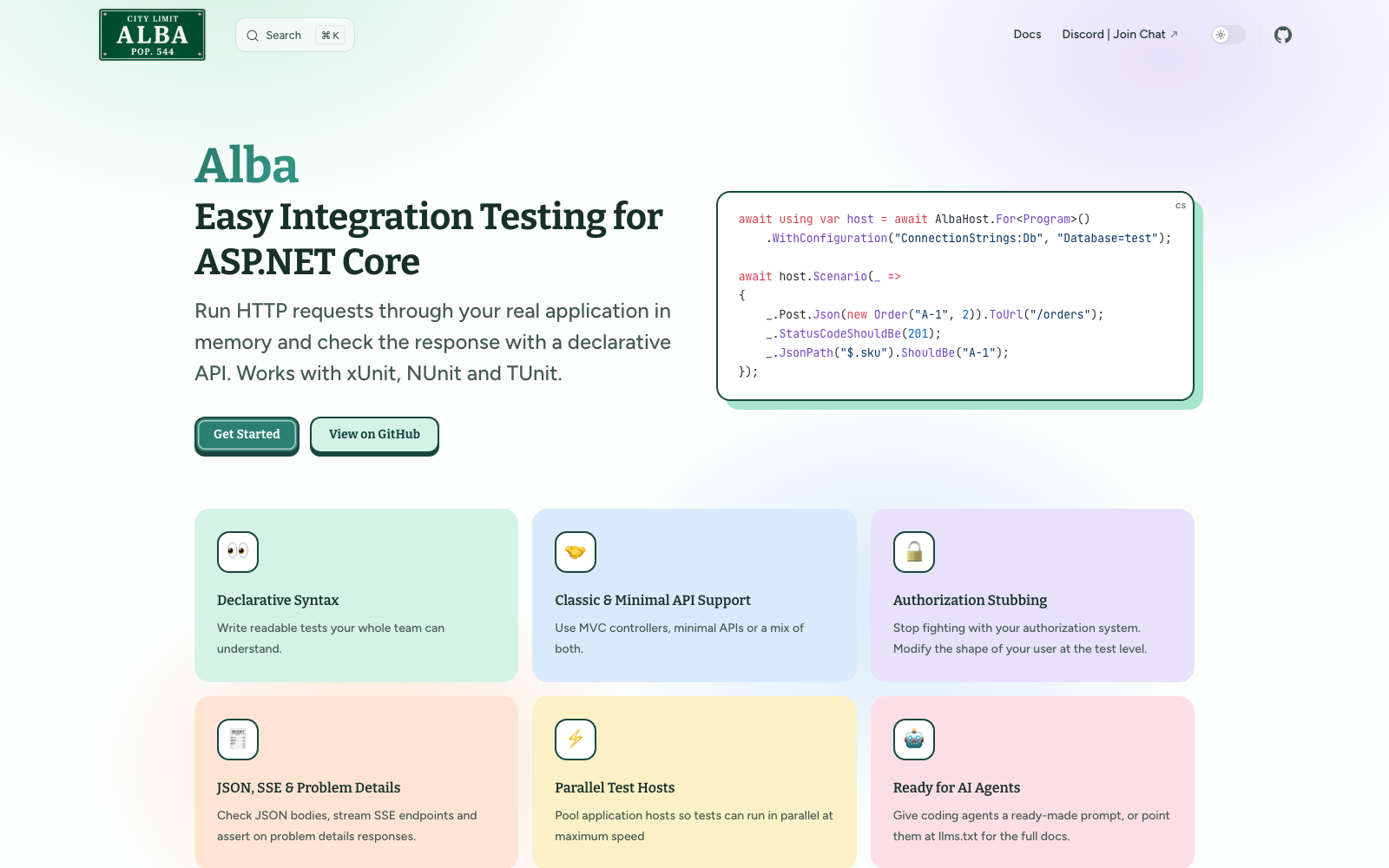
If you've never used Alba, the whole idea fits in one test. You bootstrap your real application in memory with AlbaHost, then describe the request and the expected response together in a scenario, and Alba runs the HTTP request through the actual ASP.NET Core pipeline and reports the full response body when an assertion fails (from the getting started guide):
[Fact]
public async Task should_say_hello_world()
{
    // Alba will automatically manage the lifetime of the underlying host
    await using var host = await AlbaHost.For<global::Program>();

    // This runs an HTTP request and makes an assertion
    // about the expected content of the response
    await host.Scenario(_ =>
    {
        _.Get.Url("/");
        _.ContentShouldBe("Hello World!");
        _.StatusCodeShouldBeOk();
    });
}
In real suites you share the host across tests with your test framework's fixtures, and the docs have a page each for xUnit, NUnit, and TUnit.
Test automation is a lot of what JasperFx Software does for clients
Slow, flaky, or missing integration tests are one of the most common reasons teams call us. If you want help getting an Alba suite in place, running it in parallel, or cutting your CI time, see how JasperFx can help with test automation at the end of this post.
Here's a rundown of the newer things in 9.0:
Host pooling for parallel tests
We've already got some very positive feedback from early users on this one.
Integration testing times can easily be a bottleneck in software development projects. Some folks will naturally try to parallelize test execution, but that comes with its own challenges because it's often unreliable to share stateful infrastructure like databases or message brokers between tests. I tend to prefer resetting database state in the set up of each test, but that forces you to run tests sequentially. Other folks will try to build new IHost instances and all new databases (which I should point out is mechanically simple with the Critter Stack's "it should just work" style of database migrations) via TestContainers to create testing isolation while allowing for parallel execution, but that comes with a ton of overhead. What if instead, you could have your test parallelization cake and also side step the overhead of spinning up new IHost instances and databases (eat your cake too)?
That's where the new "host pool" feature comes in as hopefully a sweet spot for test parallelization.
Stealing from the docs:
The pool calls a factory each time it needs a host. The factory gets the host's
AlbaHostSlot, whoseIndexruns from 0 to one less thanMaxHosts, so each host can be given its own database or other infrastructure. The pool types are in theAlba.Poolingnamespace.
// Registered once per test assembly with [assembly: AssemblyFixture<ApiHosts>]
public class ApiHosts : IAsyncLifetime
{
    public AlbaHostPool Pool { get; } = new(slot => AlbaHost.For<global::Program>()
            // Each host gets its own database
            .WithConfiguration("ConnectionStrings:Db", $"Host=localhost;Database=app_{slot.Index}"),
        new AlbaHostPoolOptions
        {
            // Hosts start as tests need them, up to this many
            MaxHosts = 4
        });

    public ValueTask InitializeAsync() => ValueTask.CompletedTask;

    public ValueTask DisposeAsync() => Pool.DisposeAsync();
}
Hosts start as tests need them, so a suite that never runs more than two tests at once only starts two hosts. MaxHosts defaults to the processor count, which is also xUnit's default number of tests that run in parallel. Each host holds a whole application, with its own caches and connection pools, plus whatever runs per host such as a database. For a heavy application, start with half the processor count and measure.
A test rents a host, uses it alone, and disposes the lease to return it:
public class PooledHostTests(ApiHosts hosts)
{
    [Fact]
    public async Task say_hello()
    {
        // Disposing the lease resets the host and returns it to the pool
        await using var host = await hosts.Pool.RentAsync(TestContext.Current.CancellationToken);

        await host.Scenario(x =>
        {
            x.Get.Url("/");
            x.ContentShouldBe("Hello World!");
        });
    }
}
The lease is an IAlbaHost, so scenarios and helpers such as GetAsJson work unchanged. Always dispose it with await using. A lease that is never disposed prevents other tests from using that host. A few more details:
BeforeEach,AfterEachand their async versions called on the lease only apply until the lease is disposed. Actions that every test needs belong in the factory or inOnCreated.host.GetExtension<T>()finds the rented host's extension. Pass a match when the host has several of the same type.host.Slotis the rented host's slot, for reaching its own resources from the test.- Using a lease after it is disposed throws an
ObjectDisposedException.
The part that makes this work with a real database is the reset between tests. OnCreated runs once per host before its first test, OnRent runs before each test gets the host, and OnReturn runs after every test to remove the data the test created. With Marten that's a one liner:
new AlbaHostPoolOptions
{
    // Once per host, before its first test
    OnCreated = async (host, slot) =>
    {
        using var scope = host.Services.CreateScope();
        await scope.ServiceProvider.GetRequiredService<AppDbContext>().Database.MigrateAsync();
    },

    // After every test, for example with Marten
    OnReturn = (host, slot) => host.ResetAllMartenDataAsync()
}
If OnRent or OnReturn throws, the pool disposes that host and starts a new one in the same slot, and the test that left the host in a bad state is the one that fails. host.Discard() does the same on purpose when a test changes something a reset can't undo, like a singleton's state. And when a test needs more than the host, a mock that isn't registered in DI or the administrator user seeded at startup for instance, AlbaHostPool<TState> keeps an object of your own with each host and hands it to the test as lease.State.
I'd also be interested in people experimenting with a "database per host" for truly isolated IHost instances in parallel testing lanes. The docs cover the mechanics under separate infrastructure per host: derive each host's resources from its slot, so a database per slot on a shared server, a Marten or EF Core schema per slot, or a queue prefix per slot from slot.Name. When the resource has to exist before the host starts, use the factory that returns the started host:
var pool = new AlbaHostPool(async (slot, cancellation) =>
{
    var database = $"app_{slot.Index}";
    await TestDatabases.CreateAsync(database, cancellation);

    // Disposed after this host is disposed
    slot.RegisterForDispose(new DropDatabase(database));

    return await AlbaHost.For<Program>()
        .WithConfiguration("ConnectionStrings:Db", TestDatabases.ConnectionStringFor(database));
});
The pool also traces itself, so renting, starting, and resetting hosts show up next to the scenarios in whatever OpenTelemetry tooling you point at your test run.
You can also check out the new Bobcat Supervisor for a different way of parallelizing tests from the outside where Bobcat manages parallel test tracks with isolated Docker resources.
Scenarios by route name
A scenario can now address an endpoint by its ASP.NET Core route name and let the application's own routing generate the URL:
public async Task route_names(IAlbaHost system)
{
    var accountId = 42;

    await system.Scenario(_ =>
    {
        // Route values fill the route parameters of the named endpoint,
        // and the rest become the query string
        _.Get.RouteNamed("GetAccount", new { accountId, include = "deposits" });
    });

    await system.Scenario(_ =>
    {
        // With a request body, name the route after the body
        _.Post.Json(new { Amount = 100m }).ToRouteNamed("MakeDeposit", new { accountId });
    });
}
It covers Minimal API .WithName(), MVC Name = ..., and Wolverine's RouteName. Route values that aren't route parameters become the query string, and an unknown name or a missing required value fails before the request is sent, listing the route names the application actually knows. No more tests silently hitting a URL that stopped existing.
JSON path and problem details assertions
JsonPath(...) asserts on one value in a JSON response without deserializing the whole thing, using a small JSONPath subset. Expected values are serialized with the application's JSON settings and compared structurally, so property order, whitespace, and 150 versus 150.0 don't matter:
[Fact]
public async Task values_at_paths()
{
    await _host.Scenario(x =>
    {
        x.Get.Url("/order");
        x.JsonPath("$.id").ShouldBe(7);
        x.JsonPath("$.customer.name").ShouldBe("Alba");
        x.JsonPath("$.lines[1].sku").ShouldBe("B-2");

        // Objects and anonymous types compare structurally too
        x.JsonPath("$.lines[0]").ShouldBe(new { quantity = 2, sku = "A-1" });

        // Presence, absence, and array lengths
        x.JsonPath("$.customer.phone").ShouldNotExist();
        x.JsonPath("$.lines").ShouldHaveCount(2);
    });
}
$ compares the whole body, and every failed path is reported together with the response body rather than one at a time.
The problem details assertions do the same for RFC 9457 error responses, including [ApiController] model validation and the problem details that Wolverine.HTTP writes:
[Fact]
public async Task problem_details_members()
{
    await _host.Scenario(x =>
    {
        x.Post.Url("/withdrawals");
        x.ShouldReturnProblemDetails(409)
            .WithTitle("Insufficient funds")
            .WithDetail("The balance is 10.00")
            .WithExtension("balance", 10m);
    });
}

[Fact]
public async Task validation_errors_by_field()
{
    await _host.Scenario(x =>
    {
        x.Post.Url("/deposits");
        x.ShouldReturnValidationProblem()
            .WithValidationError("Amount", "must be positive")
            .WithValidationError("Currency");
    });
}
If you've written the same five lines of ReadAsJson and Shouldly in every endpoint test for years, this is for you.
Endpoint coverage and authorization audits
The EndpointCoverage extension lists the endpoints that no test ever routed a request to. One instance can be shared across every host of the application, including a pool, and checked after the last test. As an xUnit assembly fixture:
public class ApiCoverage : IAsyncLifetime
{
    // One instance for every host of the application, however many fixtures or pools create them
    public static readonly EndpointCoverage Coverage = new();

    public ValueTask InitializeAsync() => ValueTask.CompletedTask;

    public ValueTask DisposeAsync()
    {
        // As an assembly fixture, this runs after the last test in the assembly.
        // The exception fails the test run, naming each endpoint that no test reached.
        Coverage.NotExercised().ShouldBeEmpty();
        return ValueTask.CompletedTask;
    }
}

public class ApiFixture : IAsyncLifetime
{
    public IAlbaHost Host = null!;

    public async ValueTask InitializeAsync()
    {
        Host = await AlbaHost.For<WebApp.Program>(ApiCoverage.Coverage);
    }

    public async ValueTask DisposeAsync()
    {
        await Host.DisposeAsync();
    }
}
EndpointsAllowingAnonymous() lists the endpoints a request with no credentials can reach, following the authorization middleware's own rules: [AllowAnonymous] wins over [Authorize], and a fallback policy protects every endpoint with no authorization metadata. I want that second one on every system I've ever reviewed, because it turns a missing [Authorize] into a failing test instead of a finding in a pen test report:
[Fact]
public async Task no_endpoint_allows_anonymous_requests()
{
    await using var host = await AlbaHost.For<WebAppSecuredWithJwt.Program>();

    // A new endpoint that forgets [Authorize] or RequireAuthorization() fails this test
    host.EndpointsAllowingAnonymous().ShouldBeEmpty();
}
For an application with public endpoints, assert on the exact list instead, like ShouldBe(["GET /health", "POST /login"]).
Time travel
TimeProviderOverride replaces the application's TimeProvider with a FakeTimeProvider on every bootstrapping style. The extension is the clock: pass it to AlbaHost.For(...), then Advance(...) and SetUtcNow(...) from the test:
[Fact]
public async Task freezing_and_advancing_the_clock()
{
    // The clock is both the extension and the controllable TimeProvider
    var clock = new TimeProviderOverride(new DateTimeOffset(2030, 1, 1, 0, 0, 0, TimeSpan.Zero));

    await using var host = await AlbaHost.For<Program>(clock);

    // Time is frozen at the configured start instant
    (await host.GetAsJson<CurrentTime>("/time"))!.UtcNow
        .ShouldBe(new DateTimeOffset(2030, 1, 1, 0, 0, 0, TimeSpan.Zero));

    // Travel forward three days
    clock.Advance(TimeSpan.FromDays(3));
    (await host.GetAsJson<CurrentTime>("/time"))!.UtcNow
        .ShouldBe(new DateTimeOffset(2030, 1, 4, 0, 0, 0, TimeSpan.Zero));

    // Or pin the clock to any instant
    clock.SetUtcNow(new DateTimeOffset(2031, 6, 15, 12, 0, 0, TimeSpan.Zero));
}
Timers created from the provider, including Task.Delay(..., timeProvider) and cache expirations, fire when Advance crosses their due time. The usual caveat applies: only code that resolves TimeProvider from the container is intercepted, so a stray DateTime.UtcNow still tells the real time. Wolverine's scheduled messages and saga timeouts have wanted this for a long time.
Server-sent events
Alba 9 can test server-sent event endpoints two ways. A finite stream goes through an ordinary scenario and gets parsed from the buffered body, and a live stream that never completes is consumed as it's written:
public async Task stream_live_events(IAlbaHost host)
{
    using var timeout = new CancellationTokenSource(TimeSpan.FromSeconds(10));

    // Returns as soon as the response headers arrive;
    // the response body is never buffered
    await using var stream = await host.StreamServerSentEvents(x =>
    {
        x.Get.Url("/sse/infinite");
    }, timeout.Token);

    // Events are yielded as the application writes them
    await foreach (var item in stream.ReadEvents(timeout.Token))
    {
        if (item.Data == "done") break;
    }

    // Disposing the stream aborts the request, cancelling the
    // endpoint's HttpContext.RequestAborted token
}
ReadAsServerSentEvents<T>() and ReadEvents<T>() deserialize each data: payload with the application's own JSON options, the same way ReadAsJson<T>() does.
And the rest
- Binary response reads with
ReadAsBytes(), for endpoints that return files or images thatReadAsText()would corrupt. Like the other readers it leaves the body readable, so you can assert on the bytes and still callReadAsJson<T>()afterward. - A multipart form builder, with each file's content type inferred from its name:csharp
await host.Scenario(x => { x.Post.MultipartFormData(form => form .File("files", Encoding.UTF8.GetBytes("Hello there!"), "greeting.txt") .File("files", image, "TestImage.jpg") .Field("additionalContent", "My additional string of fun times")) .ToUrl("/api/files/upload"); x.StatusCodeShouldBeOk(); }); - HTTP
QUERYandOPTIONSthroughx.Queryandx.Options, andFromHttpRequestMessage(...)accepts every HTTP method instead of throwing on the ones it didn't know. WithTestContextFlow()runs each request in the test's async context, soAsyncLocalvalues like xUnit'sTestContext.Currentand the currentActivityare visible to the application while it handles the request. A logger that writes toTestContext.Current.TestOutputHelperthen puts the application's logs in the test that sent the request.- Requests carry the test's trace context, including baggage, so a test framework that traces each test, TUnit for instance, can attribute the application's output to the right test.
- Fluent host configuration. Every bootstrapping method returns an awaitable
AlbaHostBuilderwithWithConfiguration(...)andWithExtension(...)chained on. On .NET 11 the configuration reaches theWebApplicationBuilderas soon as it's created, so values are readable inProgram.csbeforebuilder.Build():csharpawait using var host = await AlbaHost.For<WebAppSecuredWithJwt.Program>(x => { // Service registrations and other ASP.NET Core host // customization belong in this action x.ConfigureServices(services => { }); }) // Override configuration values. These are visible to the // application's own startup code .WithConfiguration("ConnectionStrings:Postgres", "MyOverriddenValue") // Apply Alba extensions .WithExtension(new AuthenticationStub().WithName("jeremy")); - The response body is buffered once, asynchronously, right after the request completes, so every read is a seekable, repeatable, memory-only operation.
- An Aspire guide for starting real databases and brokers from an Aspire AppHost and handing their connection strings to
AlbaHost, and on .NET 11 Alba is compiled with runtime async, so a stack trace through Alba shows Alba's own methods without the state machine frames in between. - An agent prompt for Claude Code, Copilot, Cursor and friends that condenses the Alba 9 setup rules, scenario API, and pitfalls into one block you can drop into
CLAUDE.mdorAGENTS.md, plus llms.txt andllms-full.txtfor when the agent needs the whole documentation.
The breaking changes are real
Read them before you upgrade from Alba 8:
- Alba 9 targets .NET 10 and .NET 11 only. .NET 8 and .NET 9 are dropped.
- Synchronous bootstrapping is gone. The
new AlbaHost(IHostBuilder)constructor,StartAlba(), and the synchronousAlbaHost.For(Action<IWebHostBuilder>)overload are removed. It'sawait AlbaHost.For(...)orawait builder.StartAlbaAsync()with your test framework's async initialization. See alternative bootstrapping methods. BeforeEachAsyncreceives theScenarioand is properly awaited before the request. Alba 8 handed it theHttpContextand blocked a thread inside the test server. Do the async work first, then apply it to the outgoing request:csharphost.BeforeEachAsync(async scenario => { var token = await tokens.MintAsync(); scenario.WithBearerToken(token); });- Bootstrapping returns an awaitable
AlbaHostBuilder, not aTask<IAlbaHost>. Everyawait AlbaHost.For<Program>(...)keeps working, but code that stores the result as aTask<IAlbaHost>needs.StartAsync().ConfigurationOverrideis replaced byWithConfiguration(...)on the builder. - The extension model is redesigned around
IAlbaHostBuilder.IAlbaExtension.Configuretakes the builder now, and behaves the same whichever way the host was bootstrapped. AllowSynchronousIOis no longer forced on, because Alba no longer does any synchronous I/O itself. If your application does, configureTestServerOptionsyourself.IdentityModelbecameDuende.IdentityModelin the OpenID Connect extensions.- The exceptions moved to
Alba.Exceptions. Dispose()performs a full, awaited shutdown. Preferawait using.- The default status code expectation accepts any 2xx instead of exactly 200, so a test that was relying on a 201 failing needs
StatusCodeShouldBeOk(). - On .NET 11,
AlbaHost.For<T>requires aWebApplicationBuilderapplication. The .NET 10 build supports both hosting models as before, and aStartup.cs-style application on .NET 11 bootstraps through itsIHostBuilder.
What it means for the rest of the stack
Alba 9 going stable is what lets WolverineFx.Bobcat.Http leave alpha, because a stable package can't depend on a release candidate. If you want to kick the tires before that, the RC3 packages are on NuGet now and the Discord is the place to tell Jaedyn what you think.
JasperFx can help with your test automation
Everything above is about making integration tests cheaper to write, faster to run, and harder to get wrong, and that's a lot of what JasperFx Software does for clients. Test automation is one of the most common reasons teams bring us in, Critter Stack users or not. We help teams:
- Stand up an integration test suite against an existing ASP.NET Core system with Alba, including the fixture design, database resets, and authentication stubs that make the suite trustworthy.
- Get a slow suite under control, with host pooling, parallel test lanes, and the test data strategies that let tests run at the same time without stepping on each other.
- Design for testability in the first place, so handlers and endpoints can be covered without a wall of mocks.
- Move to specification driven development with Bobcat and Alba, where the tests double as living documentation of the system.
That help comes in whatever shape fits. Consulting engagements for a focused push on your suite, a support agreement for ongoing access to the people who build these tools (testing strategy is explicitly part of what support covers), or an interactive workshop on automated testing strategies tailored to your codebase. Book a consultation or get in touch and tell us where your tests hurt.