Sooner or later every enterprise software system is going to get some variation of the question: "this record looks wrong — what actually happened, who did it, and what else did that same action touch?" For this very reason, the Critter Stack very purposely builds traceability through "metadata" tracking into the tools so you can answer those questions. This post walks through everything Wolverine, Marten, and Polecat do to capture, relay, store, and query message and event metadata. We'll start where the metadata is actually established — the Wolverine message envelope — then follow it into the event store, because that's the direction it really travels. And we'll note how much of it happens without you explicitly writing a line of plumbing code.
Wolverine Entry Points
In a Critter Stack system, the entry points from the outside world are generally going to be message handlers or HTTP (or gRPC now too!) endpoints and work will flow from there. At the entry points, Wolverine is deriving metadata automatically from a combination of the active Open Telemetry span, message or HTTP headers, and the current ClaimsPrincipal in HTTP world.
Internally, Wolverine is mapping that data to its internal Envelope Wrapper — the canonical metadata structure it maps to and from every transport-specific format (Rabbit MQ properties, Azure Service Bus application properties, Kafka headers, and so on). Your code never writes transport headers by hand; you deal in the envelope and Wolverine handles the translation.
| Property | What it means | Where it comes from |
|---|---|---|
Id | Uniquely identifies this specific message | Sequential Guid assigned by Wolverine |
CorrelationId | The logical workflow this message belongs to | Activity.Current.RootId, then inherited down the chain |
ConversationId | Ties this message back to the conversation that spawned it | Assigned by Wolverine, propagated across hops |
ParentId | The OpenTelemetry parent activity id | Activity.Current.Id at send time |
SagaId | The stateful saga this message participates in | The saga handler, or inherited from the inbound message |
TenantId | The tenant this message is handled for | Set by the caller, then inherited |
UserName | The authenticated user, for auditing | Opt in — see below |
Source | The service that emitted the message | WolverineOptions.ServiceName |
Headers | Arbitrary user-defined key/value data | You, or a propagation policy |
Correlation starts with an activity
When you resolve an IMessageBus outside of any handler — in a controller, a Minimal API endpoint, a hosted service — Wolverine seeds its correlation id from the ambient OpenTelemetry activity:
// What Wolverine does when constructing a message bus
CorrelationId = Activity.Current?.RootId ?? Guid.NewGuid().ToString();
That's the same Activity.Current.RootId that Marten and Polecat use to seed a session, which is precisely why the two line up without anyone coordinating them. If there's no activity at all — a console app with no instrumentation, say — Wolverine assigns a fresh Guid rather than leaving the chain broken.
And then it travels
The interesting part is what happens when a message is received. Wolverine reads the inbound envelope and adopts its metadata as the ambient context for everything the handler does:
// Effectively what Wolverine does when a handler picks up a message
CorrelationId = originalEnvelope.CorrelationId;   // adopt the workflow id
ConversationId = originalEnvelope.Id;             // this message is now "the cause"
_sagaId         = originalEnvelope.SagaId;
TenantId        = originalEnvelope.TenantId;
UserName        = originalEnvelope.UserName;
Then every message published from within that handler — through IMessageBus, IMessageContext, or cascading messages — gets stamped on the way out:
CorrelationIdis inherited from the message being handled, so the whole workflow shares one id no matter how many services or brokers it crosses. An explicitly set correlation id on the outgoing envelope is never clobbered, which is what makes the projection side-effect case below work.ConversationIdis carried forward from the inbound envelope, tying the chain together.ParentIdis set to the current activity id, so the OpenTelemetry trace tree stitches correctly across the service boundary rather than flattening.TenantIdis inherited unless the outgoing envelope specifies its own.SagaIdis inherited, with an explicit value on the outgoing envelope winning.UserNameis relayed only when you turn it on:
builder.Host.UseWolverine(opts =>
{
    // Off by default. Relays the authenticated user name from the HTTP ClaimsPrincipal
    // through the messaging chain AND into IDocumentSession.LastModifiedBy
    opts.EnableRelayOfUserName = true;
});
That one is opt-in on purpose — a user name is personal data, and propagating it across every message and into every event row should be a decision you make rather than a default you inherit.
Saga metadata
Sagas get first class treatment here, because a long-running saga is exactly the scenario where "which conversation was this?" is hardest to answer by hand. A saga may span hours or days, interleave with dozens of other saga instances, and re-enter itself via scheduled timeout messages.
Envelope.SagaId carries the saga identity, and Wolverine propagates it automatically. When a saga handler publishes a cascaded message, that message is tagged with the saga's id, so when it comes back — or when a timeout message fires — Wolverine knows which saga instance to load. The precedence is explicit: a SagaId set directly on the outgoing envelope wins, then the saga id resolved for the message currently being handled, then the inbound envelope's saga id as a fallback.
On the OpenTelemetry side, Wolverine tags spans with the saga identity and type:
| Tag | Meaning |
|---|---|
wolverine.saga.id | The saga identity value for the message being processed |
wolverine.saga.type | The saga type's full name |
wolverine.message.scheduled | Set when the envelope was previously scheduled for delayed delivery |
wolverine.stream.id | The event stream identity in the aggregate handler workflow |
wolverine.stream.type | The aggregate type's full name |
That wolverine.message.scheduled tag is more useful than it looks: it lets a trace query distinguish first-time delivery from scheduled re-entry, which in saga workflows is the difference between "the order was placed" and "the payment timeout fired forty-eight hours later." Those are very different things to be looking at during an incident, and without the tag they look identical in a span list.
Wolverine also automatically audits the saga identity member on your message types, along with the event stream identity in the aggregate handler workflow. Auditing here means the value is written into the structured log entry at the start of message execution and onto the OpenTelemetry span. You can extend that to your own domain identifiers:
// Attribute-based, and inherited by derived message types
public class DebitAccount
{
    [Audit] public string Name { get; set; }
    [Audit("AccountIdentifier")] public int AccountId;
}

// Or by policy, across every message sharing a marker interface
opts.Policies.ForMessagesOfType<IAccountMessage>().Audit(x => x.AccountId);
Which turns your logs from "processing a message" into something you can actually search:
[09:41:00 INFO] Starting to process IAccountMessage ("018761ad-8ed2-4bc9-bde5-c3cbb643f9f3") with AccountId: "c446fa0b-7496-42a5-b6c8-dd53c65c96c8"WARNING
Be deliberate about what you audit. Audited members land in log files and OpenTelemetry data, so think carefully before tagging anything that's personally identifying or otherwise protected.
Message Headers
This capability exists because you never know what other people will need to do, so you have to leave open a path for flexibility
Correlation and causation are structural; headers are the escape hatch for everything else — an "on behalf of" user for delegated actions, a source system identifier, a request origin, a feature flag cohort. Wolverine can propagate named headers automatically from an incoming message to every message cascaded out of that handler:
builder.Host.UseWolverine(opts =>
{
    // Forward one header...
    opts.Policies.PropagateIncomingHeaderToOutgoing("x-on-behalf-of");

    // ...or several
    opts.Policies.PropagateIncomingHeadersToOutgoing("x-source-system", "x-request-origin");
});
Headers named this way are copied onto every outgoing message published within that handler context, across every transport. Headers not present on the incoming message are silently skipped rather than throwing.
For anything more involved, implement an IEnvelopeRule and register it in opts.MetadataRules — the ApplyCorrelation(IMessageContext originator, Envelope outgoing) hook gives you the incoming message and the outgoing envelope, so you can derive headers rather than just copy them.
WARNING
Wolverine's default envelope mappers only carry Wolverine's own metadata headers over the wire. If you need to propagate a custom header set by an external producer, you'll need a custom envelope mapper that reads it off the transport message onto the envelope.
Worth flagging now, because it's the one place the automatic relay stops: message headers do not flow into event headers. Wolverine hands correlation id, causation id, and tenant id to the event store session for you (and user name once EnableRelayOfUserName is on), but event headers are yours to set deliberately. We'll come back to how in a moment. In practice that's the right default — message headers and event headers usually want different content — but it's worth knowing rather than discovering.
Handing it off to the Event Store
So that's the messaging side: rich metadata, established once and propagated everywhere, largely for free. Now the handoff. Where this gets genuinely powerful is the Wolverine + Marten (or Wolverine + Polecat) combination, because the correlation chain survives crossing a message broker and lands in the event store on the other side.
Consider this valid HTTP handler using Wolverine and Marten for handling an incoming command and potentially appending events:
public record CategoriseIncident(
    IncidentCategory Category,
    Guid CategorisedBy,
    int Version
);

public static class CategoriseIncidentEndpoint
{
    // This is Wolverine's form of "Railway Programming"
    // Wolverine will execute this before the main endpoint,
    // and stop all processing if the ProblemDetails is *not*
    // "NoProblems"
    public static ProblemDetails Validate(Incident incident)
    {
        return incident.Status == IncidentStatus.Closed
            ? new ProblemDetails { Detail = "Incident is already closed" }

            // All good, keep going!
            : WolverineContinue.NoProblems;
    }

    // This tells Wolverine that the first "return value" is NOT the response
    // body
    [EmptyResponse]
    [WolverinePost("/api/incidents/{incidentId:guid}/category")]
    public static IncidentCategorised Post(
        // the actual command
        CategoriseIncident command,

        // Wolverine is generating code to look up the Incident aggregate
        // data for the event stream with this id
        [WriteAggregate("incidentId")] Incident incident)
    {
        // This is a simple case where we're just appending a single event to
        // the stream.
        return new IncidentCategorised(incident.Id, command.Category, command.CategorisedBy);
    }
}
Notice that you don't see any code related to event metadata or correlation information or timestamps or really anything -- but all of that is absolutely being tracked for you by Wolverine and Marten.
When you use Wolverine's transactional middleware for Marten or Polecat, Wolverine configures the document session it hands your handler with metadata drawn straight off the incoming envelope:
// Effectively what Wolverine's OutboxedSessionFactory does for you
// before your handler ever sees the session:

session.CausationId = context.ConversationId.ToString();   // this message caused these events
session.CorrelationId = context.CorrelationId;             // the whole workflow's id
session.LastModifiedBy = context.Envelope?.UserName;       // who initiated it, when relay is enabled
// ...and the session is opened for context.Envelope.TenantId when multi-tenanted
Marten and Polecat are a little different than some other event stores in that we happily carry metadata from our session to any events appended by that session. Likewise, we also happily capture and apply that same correlation/causation/user name/tenant id metadata to Marten or Polecat's document database functionality as well.
The causation id is worth pausing on. It's context.ConversationId, which Wolverine set to the id of the message currently being handled. So an event's causation id doesn't point at some abstract workflow — it points at the specific message whose handling produced it. Given an event that looks wrong, you can name the exact message that caused it.
So the full path, with no plumbing code in your application:
- An HTTP request arrives. ASP.NET Core starts an activity with a trace id -- see .NET observability with OpenTelemetry for more information on that.
- Your endpoint publishes
PlaceOrderthrough Wolverine. The envelope's correlation id is the trace root id. - Wolverine routes it over Rabbit MQ to another service. The correlation id rides along in the transport headers.
- The handler in that service gets a Marten session pre-configured with
CorrelationId= the original trace id andCausationId= thePlaceOrdermessage id. - The handler appends
OrderPlaced. That event is stored with both values. OrderPlacedcascades aReserveInventorymessage. Its correlation id is still the original trace id, and its causation now points at theOrderPlacedhandling.- Events written by that handler carry the same correlation id.
One HTTP request, three services, six events, and every one of them is queryable by the same correlation id.
Wolverine also has very strong support for detecting a tenant id from an incoming HTTP request, and that also plays into the metadata collection for Marten.
What actually lands on the event
We've been talking about metadata arriving at the event store. So what does the event store do with it?
When you append OrderShipped to a stream, the event data is the part you designed. The metadata is everything around it — the facts about the append operation rather than about the business. In both Marten and Polecat, every event you append comes back wrapped in an IEvent or IEvent<T> (the interface lives in the shared JasperFx.Events library, which is why the two stores are identical here), and that wrapper carries:
| Member | What it is | Cost |
|---|---|---|
Id | Guid identifier for the individual event | Always stored |
StreamId / StreamKey | The owning stream, Guid or string depending on your StreamIdentity | Always stored |
Version | The event's position within its stream | Always stored |
Sequence | Global, monotonically increasing sequence number across the store | Always stored |
Timestamp | When the event was appended | Always stored |
EventTypeName / DotNetTypeName | How the event is identified on disk and rehydrated in .NET | Always stored |
TenantId | Owning tenant, when the store is multi-tenanted | Stored with multi-tenancy |
IsArchived | Whether the stream has been archived | Always stored |
CorrelationId | The logical workflow or system action this event belongs to | Opt in |
CausationId | The immediate message or action that caused this event | Opt in |
UserName | "Last modified by" — who or what process did this | Opt in |
Headers | Arbitrary user-defined key/value data | Opt in |
The first block is structural: the event store cannot function without it, so it is never optional. The second block — correlation, causation, user, headers — is the interesting part, and it's where the Critter Stack makes a specific bet: the event store should capture this for you, and it should default to off.
Why the store should own this, and not you
I saw a recent online discussion about whether or not an Event Store should have its own standardized storage scheme for metadata or strictly rely on "bring your own metadata" event wrappers from users. Marten and Polecat very much take the approach of having standardized metadata storage, and we think there's very good reason to do so:
- The standard tenant id storage 100% contributes to our multi-tenancy story, so that one is easy
- Marten and Polecat support querying the raw event data by the metadata fields, and that would be much harder without the strict metadata storage
- You just don't want to make your users really have to think about that metadata tracking. Our fervent belief is that should "just work" and that the instrumentation code should not be detracting from the readability of the business logic code in message handlers or HTTP endpoints. The Critter Stack was very much envisioned from the get go as allowing for a very low code ceremony approach, and frankly, building the metadata collection and storage into the tools itself helps get us to that goal
- We're building AI-centric tools (MCP and CLI both) that will be able to query off of the metadata to visualize or troubleshoot asynchronous workflows
On the flip side of that, some common conventional advice in the event sourcing world is to build your own envelope. You define something like EventEnvelope<T> with a Metadata dictionary, you make every handler populate it, and you serialize the whole thing into the event body. It does work, and plenty of people do this. The Critter Stack team just thinks that causes higher ceremony coding models and would take away some of our automatic tracking and ability to cheaply query by metadata the way that Marten or Polecat allow for.
I think some of this difference in opinion is due to the Critter Stack being a full vertical pipeline for application architecture rather than just being an event sourcing storage mechanism meant to be integrated separately.
Saying all that though, there are exceptions of course. You can happily override event metadata on an event by event basis if you need to, as shown in Overriding Metadata in the Marten documentation. Domain specific time information is also a place where folks may want to bypass Marten's built-in timestamp metadata.
For example, Marten and Polecat both automatically capture a Timestamp for the time at which an event is appended. I'm generally okay with just having an event body like:
public record InvoiceApproved;and depend strictly on the built-in timestamping based on the database time at the point when the underlying row gets written. If that timestamp is meaningful to your domain, and especially if you need to easily capture the exact time outside of the message handlers, you can happily use this instead:
public record InvoiceApproved(DateTimeOffset ApprovalTime);and the domain centric time will be written into the event body itself.
The counter-argument to all of this is that you pay for columns you might not use, and that's a real cost at scale. Which is why all of it is opt-in — see Run lean, or run rich below.
You don't need Wolverine for any of this
Everything so far has assumed Wolverine is in the picture, and the combination is where the story is strongest. But the event stores don't depend on it. Marten and Polecat pull from the same well Wolverine does — they seed a new session's correlation and causation ids from the ambient OpenTelemetry activity at the moment the session is opened:
// Roughly what Marten and Polecat both do internally when you open a session
session.CorrelationId = Activity.Current?.RootId;
session.CausationId = Activity.Current?.ParentId;
RootId is the identifier for the whole distributed trace — the HTTP request, or the message that kicked everything off. ParentId is the immediate span that opened this session. So the correlation id ties every event in that operation together no matter how many services it crossed, and the causation id tells you which specific step produced this particular event.
The practical consequence: if you have ASP.NET Core instrumentation turned on and you open a Marten session inside a controller action or a Minimal API endpoint, your events are already correlated to the HTTP request that produced them — with zero application code, and no message bus anywhere in sight. The same holds for a background service, a hosted job, or anything else that participates in .NET's activity tracing.
Any explicit assignment still wins. If you set session.CorrelationId yourself, that's what gets written — which is also how you set the event headers that Wolverine deliberately doesn't populate for you:
public async Task ImportLegacyOrders(IDocumentSession session, string batchId)
{
    // Explicit values override the OTel-derived defaults
    session.CorrelationId = $"legacy-import:{batchId}";
    session.CausationId = "nightly-import-job";
    session.LastModifiedBy = "system:importer";
    session.SetHeader("source-system", "AS400");

    foreach (var order in await ReadLegacyBatchAsync(batchId))
    {
        session.Events.StartStream<Order>(order.Id, new OrderImported(order));
    }

    // Every event appended by this session carries all four metadata values
    await session.SaveChangesAsync();
}
Note what's happening there: you set the metadata once, on the session, and it applies to every event that session writes when SaveChangesAsync() is called. That's the "one place" property from the section above.
And back out to messages again
The relay isn't one-directional. We started at the message and followed it into the event store; the return trip works too. When a projection publishes a side effect message, it can stamp specific metadata onto that outgoing message, and Wolverine maps it onto native delivery options:
public class OrderProjection : SingleStreamProjection<Order, Guid>
{
    public override ValueTask RaiseSideEffects(IDocumentOperations ops, IEventSlice<Order> slice)
    {
        if (slice.Aggregate?.NeedsFraudReview == true)
        {
            var metadata = new MessageMetadata(slice.TenantId)
            {
                CorrelationId = slice.Events.Last().CorrelationId,
                CausationId = slice.Events.Last().Id.ToString()
            }.WithHeader("review-reason", "high-value");

            slice.PublishMessage(new ReviewOrderForFraud(slice.Id), metadata);
        }

        return new ValueTask();
    }
}
Wolverine translates that MessageMetadata into DeliveryOptions — correlation id, causation id, tenant id, and headers all carried onto the outgoing message. The trace survives the hop from "an event was projected" to "a command was dispatched."
Tenant id rides along too
Wolverine tracks the tenant id as message metadata, and it's sticky in exactly the way you'd want. Invoke a message for a tenant and every cascaded message inherits that tenant id:
// Everything downstream of this runs for "tenant1"
await bus.InvokeForTenantAsync("tenant1", new CreateTodo("Release Wolverine 1.0"));

// Or publish for a tenant explicitly
await bus.PublishAsync(new CreateTodo("Fix that test"), new DeliveryOptions { TenantId = "tenant3" });
When that message is handled, Wolverine opens the Marten or Polecat session for that tenant — which means the events land in the right tenant database, schema, or partition, and IEvent.TenantId is populated without your handler knowing anything about multi-tenancy at all. You can inject JasperFx.MultiTenancy.TenantId into a handler if you want to reference it, but you mostly won't need to.
There's a great deal more to say about tenancy — database per tenant, conjoined tenancy, adding tenants at runtime, per-tenant observability — and we covered the broker side of it recently. Consider this a placeholder for a follow-up post that does the storage side justice.
Likewise, if you handle an HTTP POST in Wolverine.HTTP that detects a tenant id from the request, then publish outgoing message through Wolverine as part of handling that request, Wolverine will propagate the tenant id in the message metadata to enable Wolverine and Marten's (or Polecat's) built in multi-tenancy without you having to write any explicit code to make that happen.
Storage: what actually hits the database
Both stores put the optional metadata in real columns on the events table, not inside the serialized event body.
Marten (PostgreSQL), on mt_events:
| Column | Type | Enabled |
|---|---|---|
correlation_id | varchar | Opt in |
causation_id | varchar | Opt in |
user_name | varchar | Opt in |
headers | jsonb | Opt in |
tenant_id | varchar | With multi-tenancy |
Polecat (SQL Server), on pc_events:
| Column | Type | Enabled |
|---|---|---|
correlation_id | varchar(250) | Opt in |
causation_id | varchar(250) | Opt in |
user_name | varchar(250) | Opt in |
headers | JSON column | Opt in |
tenant_id | varchar | With multi-tenancy |
Being real columns is the whole point. They're indexable, they're queryable through LINQ, they show up in your schema migrations, and the storage cost is exactly zero when you leave them off — the columns aren't created at all.
Marten also supports the same three optional columns (correlation_id, causation_id, headers) on document storage, alongside mt_last_modified, mt_version, mt_dotnet_type, and an opt-in mt_created_at. Everything in this post about sessions applies there too: set it on the session, and it lands on every document the session writes. See Marten Metadata for the document side.
Run lean, or run rich
This level of configurability and flexibility exists because everybody just has to be different and we've had to make the tools adaptable
By default, both stores run lean — none of the optional metadata columns exist. If you're appending a hundred million events and you have no use for correlation data, you pay nothing for it. That's a deliberate default, and it's the right one for high-volume, single-service systems.
Turning it on is a configuration line each. For Marten:
builder.Services.AddMarten(opts =>
{
    opts.Connection(connectionString);

    // Run rich: opt into the metadata you actually want
    opts.Events.MetadataConfig.CorrelationIdEnabled = true;
    opts.Events.MetadataConfig.CausationIdEnabled = true;
    opts.Events.MetadataConfig.HeadersEnabled = true;
    opts.Events.MetadataConfig.UserNameEnabled = true;
})
.IntegrateWithWolverine();
For Polecat:
builder.Services.AddPolecat(opts =>
{
    opts.Connection(connectionString);

    opts.Events.EnableCorrelationId = true;
    opts.Events.EnableCausationId = true;
    opts.Events.EnableHeaders = true;
    opts.Events.EnableUserName = true;
})
.IntegrateWithWolverine();
Because these are independent switches, "lean" and "rich" aren't the only two settings. A very common middle ground is correlation and causation on, headers and user name off — you get full traceability at the cost of two narrow varchar columns, and you skip the JSON column entirely. Another is user name on and everything else off, for systems whose real requirement is audit rather than tracing.
Do note that turning a column on later is a schema migration, and it only applies going forward — existing events will have nulls. Enabling correlation tracking on day one costs almost nothing and is much easier than retrofitting it during an incident.
Overriding metadata on individual events
Session-level metadata covers the overwhelming majority of cases, but sometimes you need per-event control — especially when importing historical data. Marten lets you override Timestamp, Id, CorrelationId, CausationId, and headers on individual events at the point of appending:
var action = session.Events.StartStream<Order>(placed, shipped, delivered);

// Grab the IEvent wrapper for a specific event and set metadata on it
var wrapper = action.Events[0];
wrapper.Timestamp = originalOrder.PlacedAt;      // backdate an imported event
wrapper.SetHeader("category", "migrated");
wrapper.CausationId = wrapper.CorrelationId = Activity.Current?.Id;

await session.SaveChangesAsync();
Or build the wrapper up front with the fluent helpers:
var wrapper = placed.AsEvent()
    .AtTimestamp(originalOrder.PlacedAt)
    .WithHeader("source", "legacy-import");

session.Events.StartStream<Order>(wrapper, shipped, delivered);
await session.SaveChangesAsync();
TIP
If you want to override timestamps and you're using Marten's faster QuickAppend mode, you need opts.Events.AppendMode = EventAppendMode.QuickWithServerTimestamps. The normal QuickAppend takes timestamps from the database server clock at insert time and will ignore your override.
Reading it back
Metadata you can't get at isn't worth storing. There are three main ways to use it.
In projections. Take IEvent<T> instead of T in your Apply methods and the full metadata surface is available:
public class OrderSummaryProjection : SingleStreamProjection<OrderSummary, Guid>
{
    public void Apply(IEvent<OrderPlaced> e, OrderSummary summary)
    {
        summary.PlacedAt = e.Timestamp;
        summary.PlacedBy = e.UserName;
        summary.TraceId = e.CorrelationId;
        summary.SourceSystem = e.GetHeader("source-system")?.ToString();
    }
}
This is how you get an audit trail into a read model without ever putting "who did this" into the event contract itself. More on this in Using Event Metadata in Aggregates.
Querying the event store directly. Both stores expose a read-only event store API with exact-match metadata filters, which is exactly the "show me everything from that one request" query:
var readStore = ((IEventStore)store).OpenReadOnlyEventStore();

var page = await readStore.QueryEventsAsync(new EventQuery
{
    CorrelationId = "00-4bf92f3577b34da6a3ce929d0e0e4736-00f067aa0ba902b7-01",
    PageNumber = 1,
    PageSize = 50
});
EventQuery supports CorrelationId, CausationId, and UserName filters, along with the usual event type, stream, and paging options. The filters are honored only when the corresponding metadata column is actually enabled — a filter on a disabled column is silently skipped rather than failing at runtime.
Fetching a stream and inspecting wrappers. The blunt instrument, and often the right one when you're debugging:
var events = await session.Events.FetchStreamAsync(streamId);

foreach (var e in events)
{
    Console.WriteLine($"{e.Sequence} v{e.Version} {e.EventTypeName} " +
                      $"corr={e.CorrelationId} caus={e.CausationId} by={e.UserName}");
}
Where this pays off: CritterWatch, Jaeger, and MCP
Everything above is infrastructure. Here's the return on it.
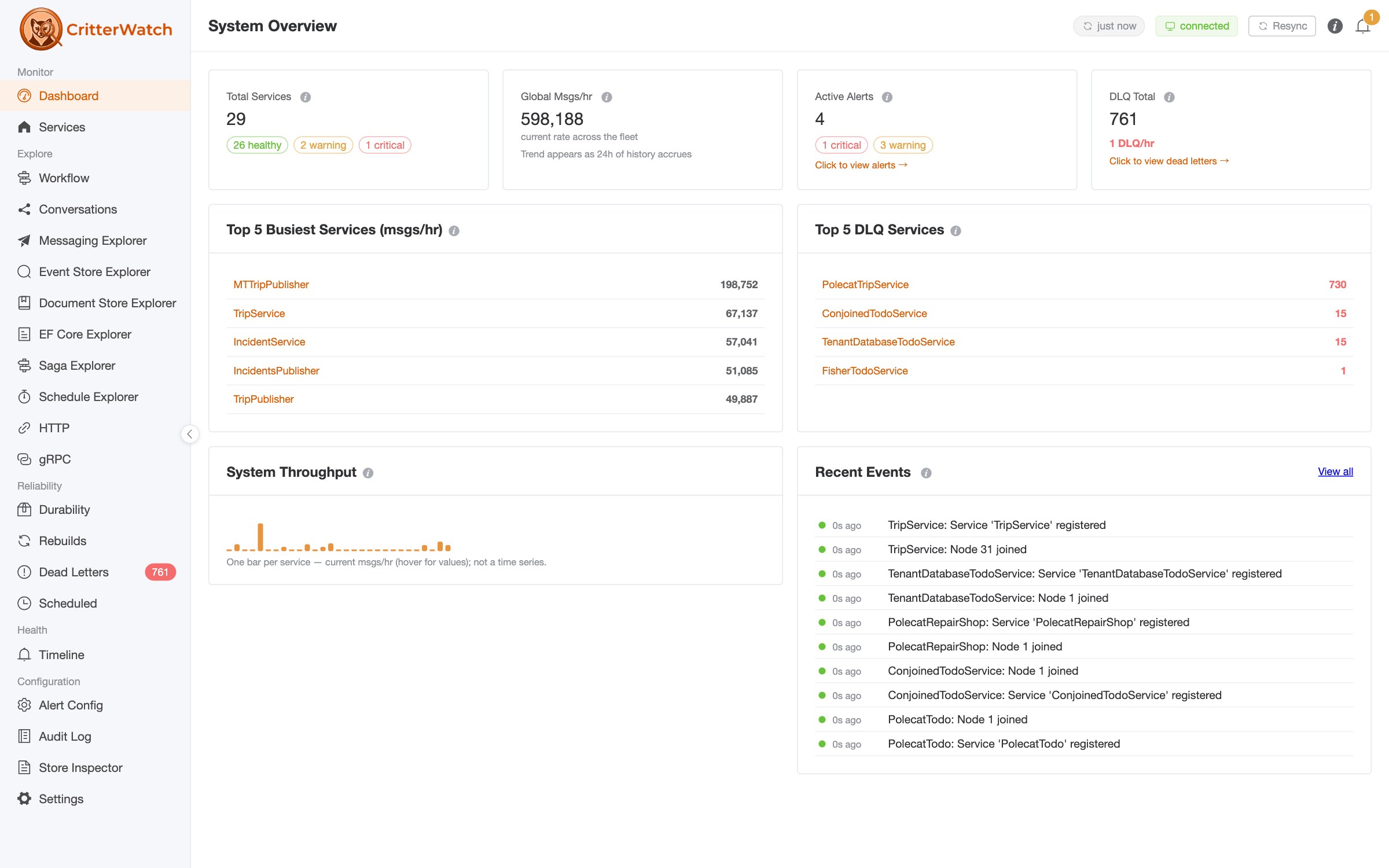
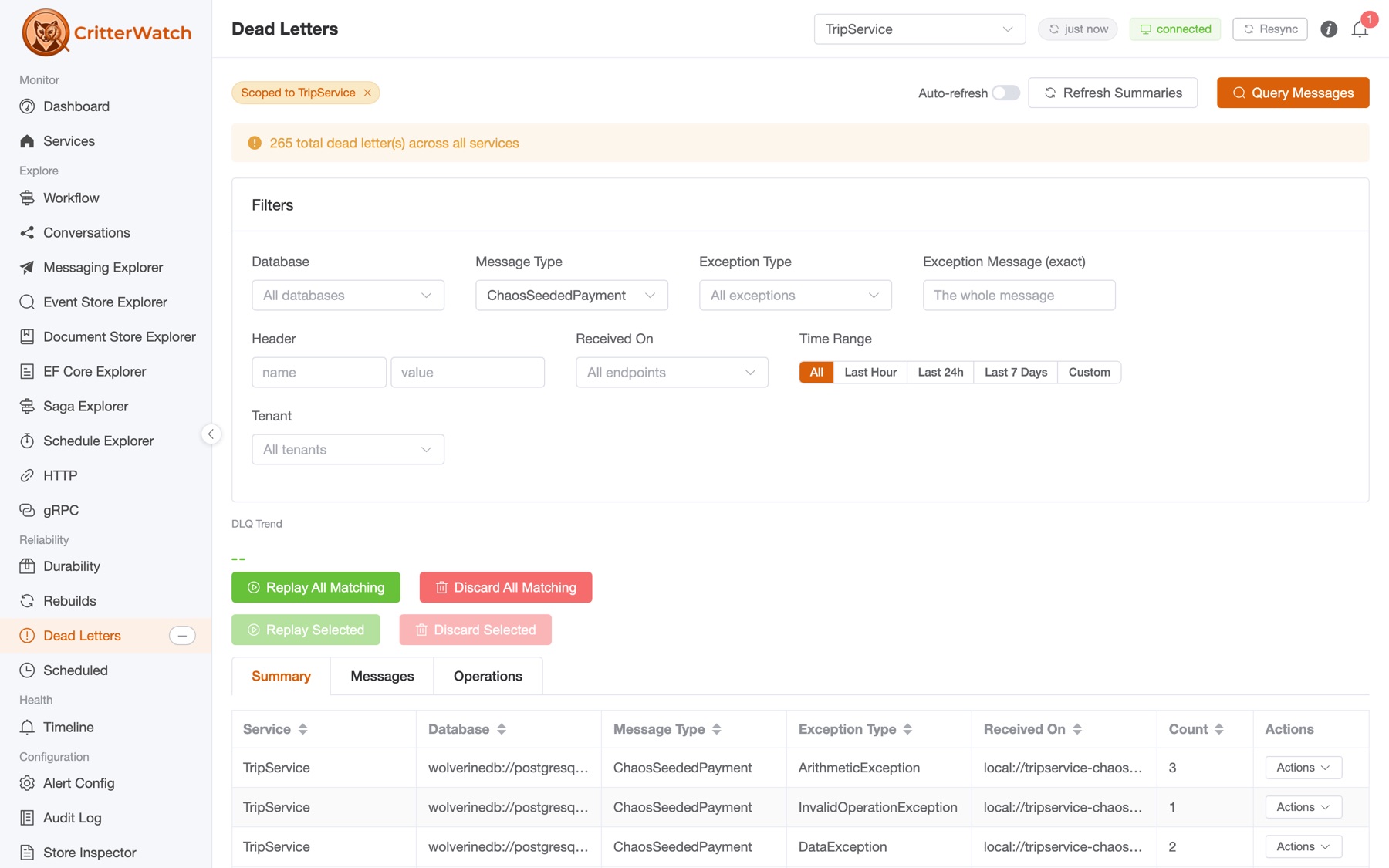
CritterWatch is our observability and management tool for Critter Stack systems. It knows about your Wolverine message routing, your Marten and Polecat projections, your dead letter queues, and your event streams. It deliberately does not store OpenTelemetry traces itself — instead it queries whichever trace backend you already run. Jaeger in dev, Application Insights or Datadog in production, and per-service bindings so different services can point at different backends.
That split is only workable because correlation ids are consistent across both worlds. The trace id that Jaeger knows about is the same value sitting in the correlation_id column of your events table, because both came from the same Activity.Current.RootId. So you can start at either end and cross over.
Now put an MCP endpoint in front of all of it. CritterWatch, Marten, and Polecat each ship MCP tool surfaces, which means an AI coding assistant can drive the investigation:
- Trace tools — query recent traces for a monitored service, filtered by Wolverine's semantic span tags (
message.type,tenant, handler, destination endpoint), then pull the full span tree for a specific trace id. - Event store tools — read a stream's events with their metadata, fetch the current projected aggregate state, or search across streams by event type and time range.
- Lifecycle tools — answer "where does this message type fit in the workflow?" across all monitored services, returning a Mermaid sequence diagram plus structured JSON: publisher → handler → cascaded messages → appended events → projections → read models, with each edge tagged by whether it was inferred from structure or actually observed at runtime.
- Dead letter, health, routing, and performance tools for the operational side.
So a debugging session that used to be twenty minutes of tab-switching becomes a conversation:
"This order shows the wrong total. Find the trace, tell me which handler wrote the bad event, and show me the whole stream."
The assistant queries the trace backend for the failing request, pulls the trace id, uses it as the correlation id against the event store, gets back every event that request produced across every service, and reads the lifecycle map to explain how they connect. That only works because the correlation id is a real, indexed, consistently-populated column — which brings us right back to the argument at the top of this post. Metadata captured by convention in your own envelope is metadata no tool can help you with.
If you want to try that flow yourself, our Critter Stack AI Skills package up the conventions and guidance that make AI assistants genuinely effective against Critter Stack codebases rather than confidently wrong. They're available here.
Where to go from here
Documentation:
- Marten Event Metadata and Marten Document Metadata
- Polecat Event Metadata
- Wolverine's instrumentation, correlation, and Open Telemetry support, including contextual logging with audited members and the full list of emitted spans and tags
- Wolverine Header Propagation
- Wolverine Sagas and the aggregate handler workflow
- Multi-Tenancy with Wolverine
- Event forwarding through the outbox, for Marten and Polecat
And from us:
- CritterWatch for observability and management across your whole Critter Stack estate — including the trace provider integration and MCP endpoints described above.
- Critter Stack AI Skills for AI-assisted development that actually understands Marten, Wolverine, and Polecat.
- JasperFx support plans if you want the people who wrote all of this on call when something goes sideways at 3am, and our consulting services if you'd like a second opinion on your event store design before you're committed to it.
Or come find us in the Critter Stack Discord — we're there most days.